Point Solutions or an Integrated Platform?
A practical comparison of running several specialist tools against running one platform, and what each choice actually costs. Learn where integration work accumulates and how to decide which model fits your company.
In this guide
What to watch for
Use the article to identify repeat work, handoff gaps and places where one source of truth would help.
In this article
Very few companies sit down and design their software stack. It accumulates. A payroll tool bought when headcount crossed a threshold, an accounting package the bookkeeper already knew, a spreadsheet for leave that nobody has ever managed to retire. Each choice was reasonable on the day it was made, which is exactly why the question is worth revisiting now: is the sum of those reasonable choices still cheaper than running one system?
What best-of-breed actually gives you
It helps to start by taking the specialist tools seriously, because the case for them is real. A vendor that does one thing tends to do it deeply. The odd cases — a shifting schedule pattern, an unusual allowance structure, a reporting format a particular client demands — are the ones a focused product has already met a hundred times, and the ones a broad platform is most likely to treat as an edge case.
Point solutions also keep your risk small and divisible. If the tool disappoints, you replace that one tool. The evaluation is narrower, the contract is smaller, the rollout touches one team, and the people who use it every day usually get to pick it. Compare that with a platform decision, where a single unhappy department has to live with a choice made for the whole company.
That divisibility is the genuine advantage, and it is worth protecting. The trouble is that it applies to the tools themselves, not to the space between them.
The seam is where the work moves
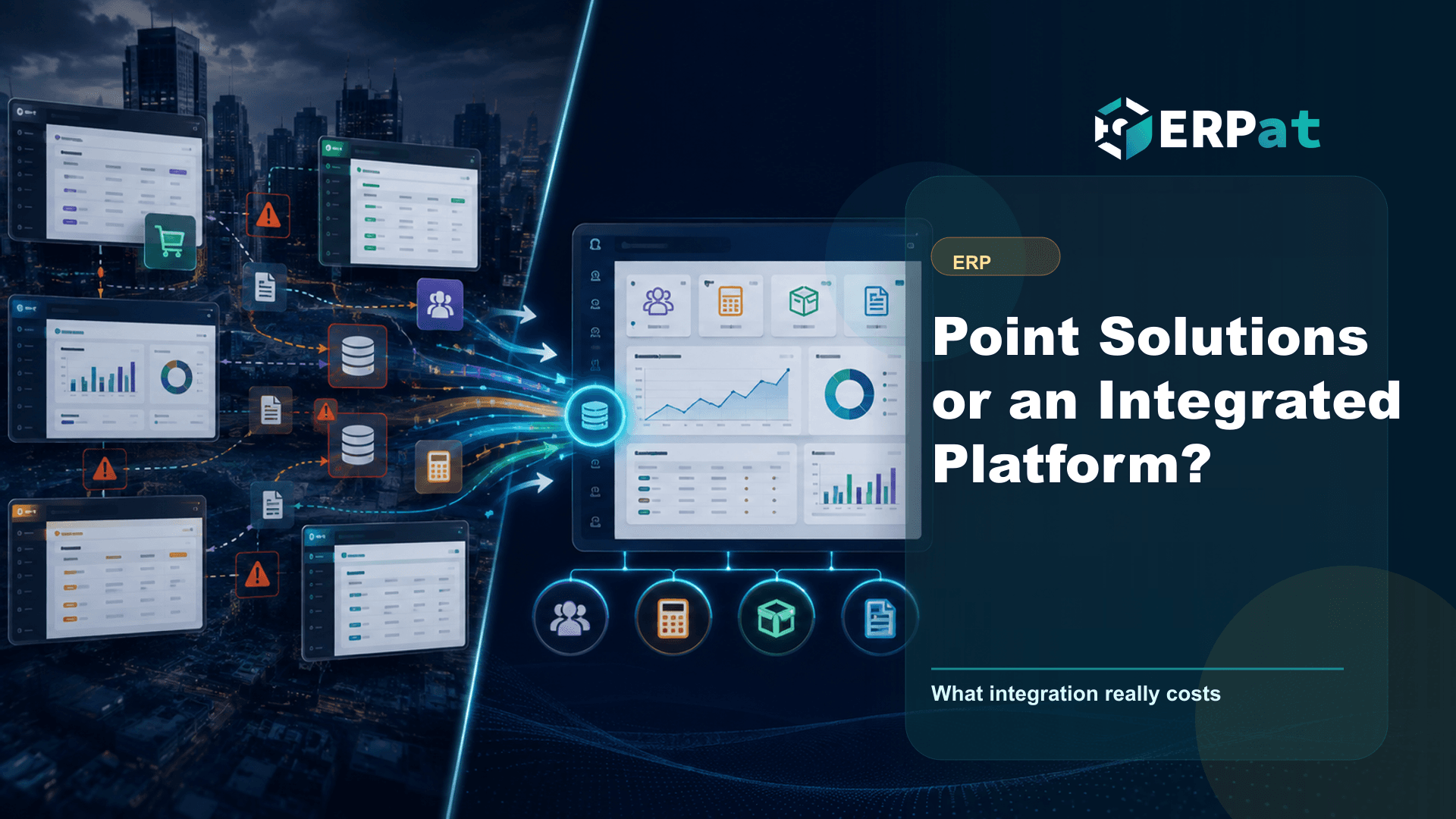
Integration cost is rarely the connector. It is reconciliation. When attendance is captured in one system and payroll is computed in another, someone exports a file, checks it, corrects it, and uploads it. That person does it again every cutoff, and again at month-end, and again whenever a correction lands after the fact.
The mechanism behind this is worth naming. Two systems each hold their own idea of an employee: their own identifier, their own effective dates, their own notion of when a resignation takes effect. Nothing forces those two records to agree. A mid-month transfer entered in one place and missed in the other does not throw an error — it produces a payslip that is quietly wrong, and the discrepancy surfaces weeks later when someone questions their pay or a report fails to tie out.
So the work does not vanish when you add a second tool. It changes shape, from a feature you configure once into a recurring task a person performs forever.
Someone has to own the middle
The layer between your systems is itself a system, and it is usually the one nobody budgeted for. Export templates, column mappings, the rule about which system wins when two records disagree, the manual step that fixes the one case the mapping never handled — all of it is real infrastructure, and all of it tends to live in one person's head.
That becomes visible at the worst moments. A vendor changes an export format on their own release schedule. A new statutory report needs a field that only exists in the other system. The person who built the process goes on leave during cutoff week.
When you are evaluating tools, this is the question that separates a clean comparison from an optimistic one: who maintains the handoffs, who tests them after either vendor updates, and what the fallback is when that person is unavailable. If the answer is "we will figure it out," the integration cost has not been priced — it has been deferred.
What a single platform gives up
The honest counterweight is that one platform is rarely the deepest option in every function. You accept adequate-and-connected over excellent-and-separate, and for a function that is genuinely unusual in your business, that trade can be the wrong one. You also concentrate risk: one vendor's roadmap, one contract, one support relationship, and a migration that has to be planned as a whole rather than one tool at a time.
Some products are a single platform in packaging only, with modules that still pass data between separate stores. Ask whether an employee edited in one module is the same record everywhere, or a copy that has to be synchronised.
That distinction matters more than the word on the brochure. If the modules share one record, the handoff problem genuinely disappears. If they merely ship together, you have bought the concentration risk of a platform and kept the reconciliation work of a stack.
Where ERPat draws the line
ERPat is built around shared records rather than connected products. The Human Resource module is the employee system of record — profiles, schedules, attendance, leaves and holidays in one place — so the data payroll depends on is entered once, by the people closest to it, rather than exported into a second system on a cutoff deadline. The Finance module covers accounts, expenses, payments, loans and reconciliation, with automated tax calculations and dynamic reports drawing on that same base.
This matters for compliance work specifically. SSS, PhilHealth, Pag-IBIG and BIR reporting all key off the same underlying employee and payment data. Every additional copy of that data is another place a discrepancy can start, and reconciling copies is most of what compliance preparation actually consists of.
For groups running more than one registered entity, the Tenancy module allows separate tenant instances from a single ERPat deployment — separate books and separate employee populations, without a separate stack to maintain for each company. You can see how the modules fit together on the products page.
A practical way to decide
The useful comparison is not feature lists. It is counting handoffs. Over one full month, note every time a person moves data from one system into another by hand, every time two reports have to be made to agree, and every dispute that gets settled by someone opening two screens side by side. That count is the actual price of the current arrangement, and it is usually higher than anyone estimates from memory.
Then weigh it against depth. If one function in your business is genuinely unusual and high-volume, a specialist tool for it may earn its integration cost outright. If your pain is mostly between functions — attendance not matching payroll, payroll not matching the books, headcount not matching either — then more depth inside any single tool will not touch the problem.
Scale matters too. A small team can absorb manual handoffs almost invisibly. The same handoffs at two hundred employees, or across three entities, become a full role nobody hired for.
Choosing the trade-off on purpose
There is no universally correct answer here, and any vendor who tells you otherwise is describing their product rather than your company. Best-of-breed buys depth and pays for it in reconciliation. An integrated platform buys consistency and pays for it in concentration and compromise. Both are legitimate; what is not legitimate is choosing one while pretending its cost does not exist. Count your handoffs, name who owns the middle, and make the trade deliberately.
Technology decision context
Use "Point Solutions or an Integrated Platform?" to make a better systems decision
Technology articles are most useful when they help the team decide what to change next. Focus on the process problem first, then choose the tool or integration that removes the most repeated work.
Part 1Start from the workflow, not the tool
A system change should solve a visible operational problem. Map who creates data, who reviews it and who depends on the result.
- Identify repeated encoding, manual exports and duplicate records
- Find handoffs that rely on reminders instead of system status
- Separate must-have controls from nice-to-have interface features
Part 2Integration details to check
A useful system should reduce context switching and make data easier to trust across teams.
- Which records need one source of truth?
- Which reports depend on data from more than one department?
- What permissions, audit logs and backups are required?
Part 3How to judge success
A better technology setup should improve speed, reliability and confidence in decisions.
- Fewer manual workarounds after rollout
- Shorter time from request to approval or report
- Clear ownership when something is missing or incorrect
Jerome Evangelista
Content & Solutions Writer
Writes about payroll automation, HRIS, and how Philippine businesses run leaner with ERPat.