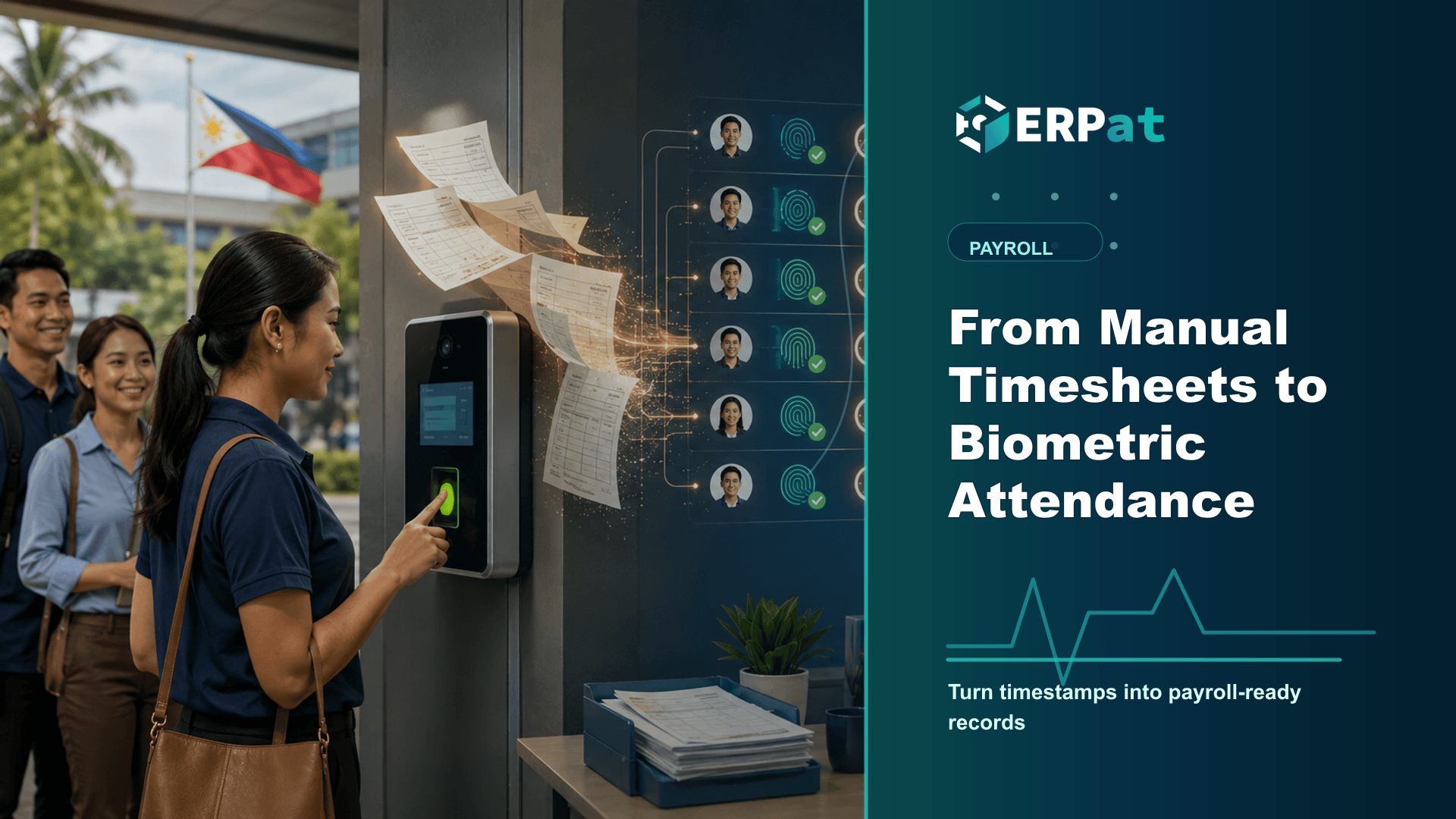
From Manual Timesheets to Biometric Attendance
Manual timesheets fail quietly, in the retyping, the guesswork and the disputes at cutoff. Here is how face, fingerprint, RFID and QR capture feeds payroll directly, and what still needs a human.
In this guide
What to watch for
Use the article to spot where payroll checks can be clearer, faster and easier to audit.
In this article
The timesheet is the one document in your business that turns directly into money. Every line on it becomes an hour paid, an overtime premium, a deduction, or an argument at the end of the month. Yet in most small and mid-sized Philippine companies that document still begins as handwriting in a logbook and ends as a spreadsheet someone retypes on the Friday before cutoff. The distance between those two points is where payroll quietly loses its accuracy.
Where manual timekeeping actually breaks
The logbook itself is rarely the problem. What breaks is everything after it: someone collects the sheets from each department, squints at a seven that might be a one, chases the three people who filled in the whole week from memory on Friday afternoon, then retypes it all. Each of those steps can introduce an error that nobody notices until an employee reads a payslip.
Manual logs also invite the thing nobody likes to name. When a colleague can sign you in, the record stops showing who was present and starts showing who was willing to write a name. Supervisors know it happens and usually cannot prove it.
The third cost is timing. Payroll cannot be computed until attendance is closed, so one branch that submits late holds up the whole cutoff. The usual shortcut, computing on estimates and adjusting next period, turns a timekeeping problem into a payroll correction problem.
What a biometric terminal actually captures
A time terminal does not really record a time. It records that a particular person was at a particular place at a particular moment, and it does so at the moment it happens. Identity and timestamp arrive together, which removes the entire transcription layer where most attendance errors are born.
ERPat's Kiosk module is that layer for the platform. It captures attendance by face, fingerprint, RFID tap card or QR code, and the punches surface on a monitoring dashboard while the shift is still running, so a supervisor can see that a station is short before the day ends rather than after payroll has been computed. The accumulated records feed the module's analytics, which is where the useful patterns live: the shift that is chronically short-handed, the terminal nobody uses, the department whose overtime always begins at the same hour.
Matching the capture method to the floor
No single capture method suits every workplace, which is why the Kiosk module supports four. The choice is usually settled by the physical conditions of the site rather than by preference.
Mixing methods across locations is normal. A plant entrance and a head-office lobby have different queues, different hand conditions and different tolerance for a two-second delay.
A timestamp is not yet a payroll line
Cleaner data is not finished data. For an in-and-out pair to become a payroll line, it has to be measured against what the employee was supposed to work that day. That reference lives in the Human Resource module, which holds employee profiles, schedules, attendance, leaves and holidays in one place.
The schedule is what gives a timestamp meaning. The same 9:14 punch is fifteen minutes late on one shift and forty-five minutes early on another, and only the assigned schedule can say where regular hours end and overtime begins. The holiday calendar does the same work for dates, so a punch on a regular holiday is handled under the Labor Code's holiday pay rules instead of as an ordinary day. Leave records close the last gap: without them, an approved absence and an unexplained one look identical in an attendance file. With profiles, schedules, leaves and holidays sitting beside the attendance record, payroll is computed from one consistent set of facts rather than three.
The exceptions do not disappear
Biometrics eliminate typing errors. They do not eliminate judgment. A terminal goes down during a brownout, someone leaves on an official errand without clocking out, a new hire is not yet enrolled, a field employee never passes the lobby at all. Each of these produces a record that is technically accurate and practically wrong.
So the exception path matters as much as the capture. Decide in advance who may correct a punch, what evidence is required, and whether the correction stays visible afterwards. An attendance record that can be edited without a trace is no more trustworthy than the logbook it replaced. The same applies to rules that used to live in a supervisor's discretion: grace periods, rounding, minimum overtime blocks and the treatment of undertime all have to be written down before they can be configured, and writing them down often reveals that two departments have been applying different rules for years.
Biometric data comes with obligations
A fingerprint template or a face record is not the same category of information as a name in a logbook. Under the Data Privacy Act, biometric data is sensitive personal information, and collecting it puts real duties on the employer: gather no more than the purpose requires, tell employees plainly what is captured, why, where it is kept and for how long, and limit access to the people who actually process attendance and payroll.
Breach handling belongs to the same duty. NPC Circular No. 16-03 requires the personal information controller to notify the National Privacy Commission within seventy-two hours of knowing, or reasonably believing, that a personal data breach has occurred, which means the notification path has to exist before anyone needs it. None of this argues for staying on paper. It argues for introducing biometric attendance as a documented policy with a named owner, not as a device somebody mounted by the door.
Making the switch without losing a cutoff
Treat the change as a payroll project rather than an installation. Enrol employees in batches and check enrolment quality as you go, because a poorly captured template produces failed punches on the worst possible morning. Brief people before day one on what is captured and how to report a missed punch; most resistance comes from not knowing rather than from objection.
Then run one or two full cycles with both systems in parallel and reconcile the difference line by line. Those discrepancies are the point of the exercise. They are usually undocumented practice rather than software error, and settling them before the switch is far cheaper than settling them on a payslip. Once the parallel run agrees, the logbook can go, and attendance stops being something you assemble at cutoff and becomes something you already have.
Payroll operations context
Use "From Manual Timesheets to Biometric Attendance" as a payroll-control review
A useful payroll article should help the team trace the whole cutoff, not only explain the software. Read it against the actual flow from attendance data to calculations, approvals, payslip release and accounting handoff.
Part 1Data to verify before calculation
Payroll accuracy usually starts before payroll is computed. The riskiest inputs are the ones that arrive late, get retyped, or have no clear owner.
- Attendance exceptions, rest-day work, overtime, leaves and late filings
- Salary changes, allowances, deductions, reimbursements and one-time adjustments
- Government contributions, tax rules, final pay items and cut-off dates
Part 2Controls that make payroll easier to approve
The approval process should show what changed, who reviewed it, and what evidence supports the final numbers.
- Use a maker-checker workflow before payroll is finalized
- Keep an exception report for unusual changes or manual overrides
- Attach approval evidence before releasing payslips or posting payroll costs
Part 3Signals that the process is improving
A better payroll workflow should reduce repeat corrections and questions after release.
- Fewer off-cycle corrections after payroll closing
- Shorter review time between cutoff and approval
- Fewer employee questions about payslips, deductions or missing adjustments
Jerome Evangelista
Content & Solutions Writer
Writes about payroll automation, HRIS, and how Philippine businesses run leaner with ERPat.