Attendance Kiosks Compared: Face, Fingerprint, RFID, QR
Every attendance capture method has a worksite where it quietly stops working. This guide compares face, fingerprint, RFID tap cards and QR codes by dust, lighting, queue length and workforce size, so you choose once and choose correctly.
In this guide
What to watch for
Use the article to spot where payroll checks can be clearer, faster and easier to audit.
In this article
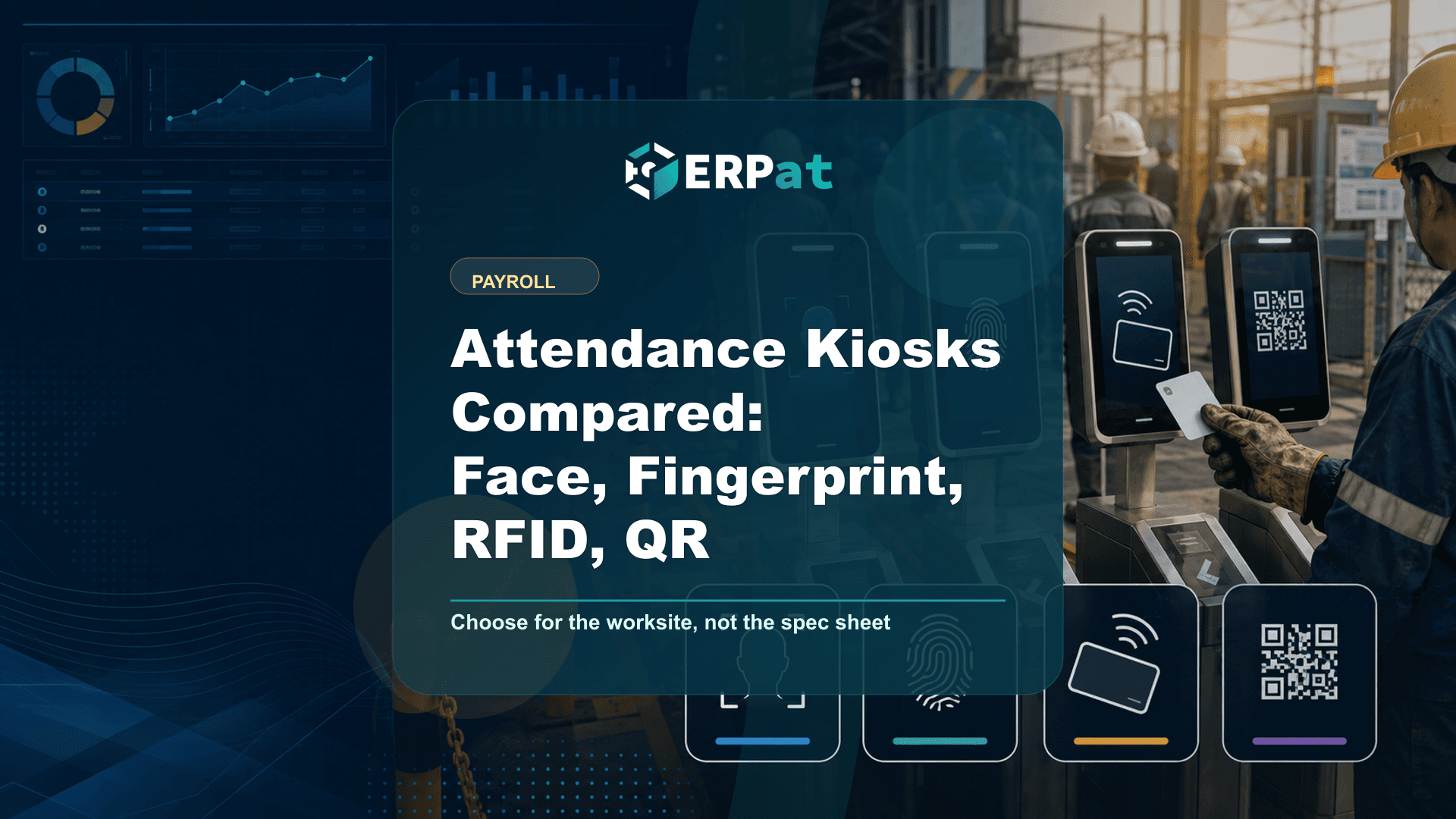
A time clock has exactly one job: attach a trustworthy timestamp to a specific person. Which capture method does that best has less to do with the technology's theoretical ceiling than with the room the terminal sits in — the dust, the lighting at 6:40 in the morning, the length of the queue at shift change, and whether the person clocking in is wearing gloves. The Kiosk module captures attendance by face, fingerprint, RFID tap card or QR code, and the reason it supports all four is that no single method survives every Philippine worksite intact.
What a capture method is actually buying you
Strip away the marketing and every method is doing the same thing: deciding whether the person in front of the terminal is who the record will say they are. The interesting differences are in how each one fails. A false rejection turns away a genuine employee — the sensor will not read, the queue backs up, a supervisor waves everyone through, and someone ends up typing corrections into the system later that afternoon. A false acceptance is the opposite and quieter: the record looks perfect and belongs to the wrong person.
Those two failures cost different amounts depending on who you employ. In a 12-person office, a false rejection is a mild annoyance and buddy punching is nearly impossible because everyone can see everyone. On a 300-person production floor with a ten-minute changeover window, a slow reader is an operational problem before it is a payroll problem, and a credential that can be handed to a co-worker is a real exposure.
The right question is therefore not "which method is most secure" but "which failure can this site absorb, and which one will quietly corrupt the timesheet."
Face capture, and the conditions it needs
Face capture is the strongest general-purpose option for sites where hands are not free or not clean. Nothing is touched, nothing is carried, and workers in gloves — food handling, clinics, cold storage, chemical or paint work — do not have to strip down to clock in. Throughput is good because the interaction is a pause rather than a deliberate action, which matters when a whole shift arrives at once.
What it needs in return is stable conditions at the terminal. A camera aimed at a doorway that faces east will fight the sunrise every morning of the year. Hard hats, face masks, safety goggles and heavy hoods all change what the terminal is looking at, so the enrollment has to reflect how people actually turn up for work, not how they looked on their first day in a polo shirt. Mount the unit indoors, at consistent height, with the light source behind the camera rather than behind the employee, and most of the complaints disappear before they start.
Fingerprint is precise, until the work gets in the way
Fingerprint capture has an obvious appeal: the credential cannot be lent out, the hardware is compact, and enrollment takes seconds. For offices, branches, retail counters and professional services it is often the simplest thing that works, and it is well understood by staff who have used it at previous employers.
The limitation is physical and it is not about the sensor's quality. Construction, agriculture, manufacturing, warehousing and cleaning work all wear down ridge detail; cement dust, oil, moisture and frequent hand sanitizer use make reads inconsistent in exactly the workforces that need the most reliable timekeeping. The practical mitigations are unglamorous but effective: enroll more than one finger per employee, place the terminal where a worker can dry or wipe their hands first, and accept that a small share of your headcount may simply need a different method.
Also plan for queueing. Fingerprint is a deliberate act — approach, position, wait, confirm — and at a few seconds each it is fine for fifty people and painful for four hundred arriving in the same ten minutes.
RFID tap cards move crowds fastest
If throughput is your binding constraint, tap cards win and it is not close. A tap is essentially instantaneous, works through gloves, works in poor light, works when the employee is carrying something, and works outdoors. For high-headcount manufacturing, logistics and agricultural operations with hard shift boundaries, RFID is frequently the only method that clears the gate in time.
The trade-off is that a card authenticates a card. It can be lent, borrowed, left in a locker or handed over the fence, and the resulting record is indistinguishable from an honest one. That is manageable — issue cards individually, treat a lost card as a controlled reissue rather than a formality, and keep a supervisor within sight of the terminal at shift change — but it has to be managed deliberately rather than assumed away.
A kiosk records when someone presented themselves; it cannot tell you whether they were supposed to be there. If shifts, rest days and approved overtime are vague on paper, cleaner timestamps will only make the disagreement more precise.
QR codes for distributed and low-density sites
QR sits in a different category from the other three because the cost of adding another capture point is close to nothing. There is no specialized reader to buy, break or replace, which is what makes it practical for branch offices, project sites, satellite stores and small teams where installing dedicated biometric hardware at every location cannot be justified by the number of people using it.
Treat it accordingly. A code is a token, so the honest way to run QR is with the terminal physically present at the site where the work happens, and with the same reissue discipline you would apply to a card. For a five-person branch that a manager sees every day, that discipline is easy and the method is entirely adequate. For an anonymous crowd at a gate, it is the wrong tool.
Choosing by site, not by brochure
Most companies with more than one location do not have one answer, and should stop looking for one. The pattern that holds up is to pick per site: RFID or face where volume and conditions are hostile, fingerprint where headcount is modest and hands are clean, QR where a location is too small or too temporary to justify hardware. Because the Kiosk module supports all four and reports through a single dashboard with monitoring and analytics, using different methods at different sites does not fragment the record — the head office still sees one attendance picture.
Biometric enrollment is also personal data, and the National Privacy Commission's security rules for personal data have applied to private-sector controllers since 2024, with its August 2025 guidelines on privacy engineering pushing privacy-by-design across a system's whole life cycle. In practice that means telling employees what is captured and why, restricting who can view enrollment records, and choosing the least intrusive method that actually works at that site. Where fingerprint or face capture is genuinely unnecessary, that is an argument for the card or the code, not against timekeeping.
What happens after the tap
The capture method only determines the quality of the input. Where it earns its keep is downstream: attendance sits with schedules, leaves and holidays in the Human Resource module as the employee system of record, and that combination is what lets premiums be computed from evidence instead of recollection. Work beyond eight hours in a day carries at least a 25% premium under the Labor Code, hours worked between 10:00 p.m. and 6:00 a.m. carry a night shift differential of at least 10%, and work on a scheduled rest day carries at least 30%. Every one of those is a boundary question, and a boundary question is only as good as the timestamp behind it.
So choose the method your site can sustain on an ordinary Monday, not the one that demonstrates impressively in an air-conditioned meeting room. A terminal that reads correctly the first time, for everyone, in the conditions where the work actually happens, is worth more than a more sophisticated one that half your workforce learns to work around.
Payroll operations context
Use "Attendance Kiosks Compared: Face, Fingerprint, RFID, QR" as a payroll-control review
A useful payroll article should help the team trace the whole cutoff, not only explain the software. Read it against the actual flow from attendance data to calculations, approvals, payslip release and accounting handoff.
Part 1Data to verify before calculation
Payroll accuracy usually starts before payroll is computed. The riskiest inputs are the ones that arrive late, get retyped, or have no clear owner.
- Attendance exceptions, rest-day work, overtime, leaves and late filings
- Salary changes, allowances, deductions, reimbursements and one-time adjustments
- Government contributions, tax rules, final pay items and cut-off dates
Part 2Controls that make payroll easier to approve
The approval process should show what changed, who reviewed it, and what evidence supports the final numbers.
- Use a maker-checker workflow before payroll is finalized
- Keep an exception report for unusual changes or manual overrides
- Attach approval evidence before releasing payslips or posting payroll costs
Part 3Signals that the process is improving
A better payroll workflow should reduce repeat corrections and questions after release.
- Fewer off-cycle corrections after payroll closing
- Shorter review time between cutoff and approval
- Fewer employee questions about payslips, deductions or missing adjustments
Jerome Evangelista
Content & Solutions Writer
Writes about payroll automation, HRIS, and how Philippine businesses run leaner with ERPat.