Overview #
The Payment Received Module in the ERPat System provides a centralized view of all incoming payments collected from customers or clients. It allows finance users to monitor payment transactions across different time ranges, projects, currencies, and payment methods, while offering both tabular and visual representations of received amounts.
This module supports financial tracking, reconciliation, and reporting by consolidating payment records and presenting summaries through monthly, yearly, custom, and chart-based views.
Key Features #
- View received payments by monthly, yearly, or custom date ranges
- Track payments linked to billing statements or invoices
- Filter payments by project, currency, and payment method
- Monitor payment dates, notes, and received amounts
- Automatically calculate and display total received amounts
- Export payment data to Excel for reporting and reconciliation
- Search payment records using keywords
- Navigate payment data by month or year
- Visualize payment trends through chart-based analytics
Accessing the Payment Received Module #
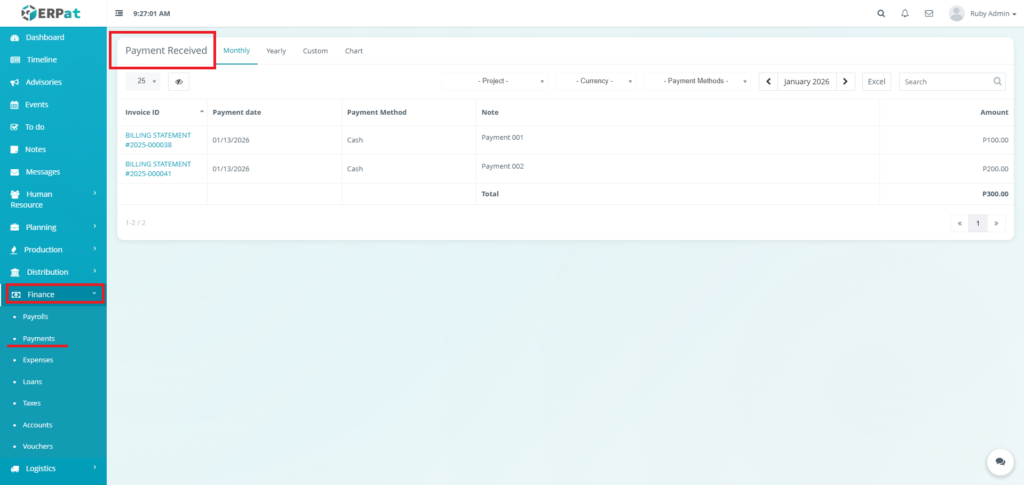
- Log in to the ERPat System.
- Navigate to Finance from the primary sidebar.
- Select Payments.
Payments Listing Page #
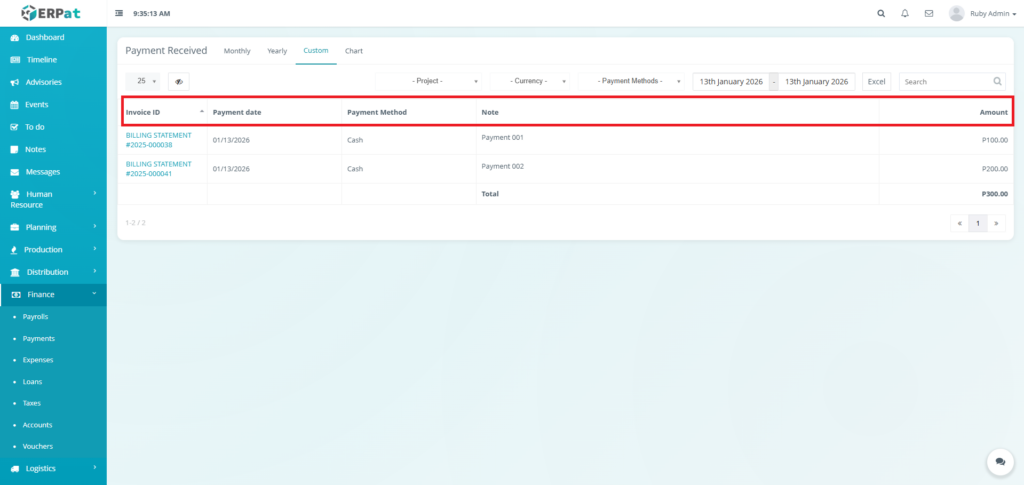
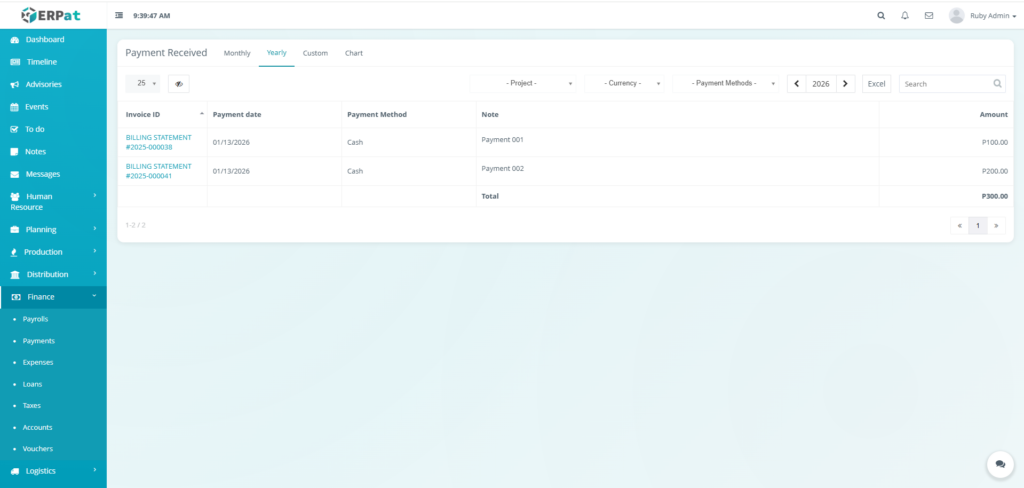
The Payments page displays a comprehensive table of all payments with the following columns:
- Invoice ID – Reference to the billing statement or invoice
- Payment Date – Date the payment was received
- Payment Method – Mode of payment (e.g., cash, bank transfer)
- Note – Internal remarks related to the payment
- Amount – Payment amount received
Page Controls and Tools #
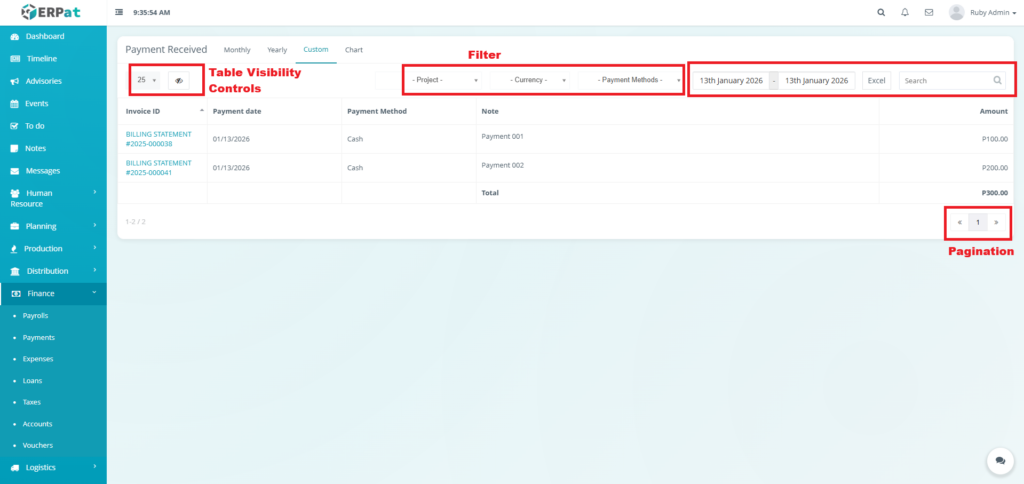
- Filter
- Project
- Currency
- Payment Method
- Year and Month Selector
- Excel Export
- Search Bar
- Table Visibility Controls
- Pagination
Payments Module Tabs #
Monthly #
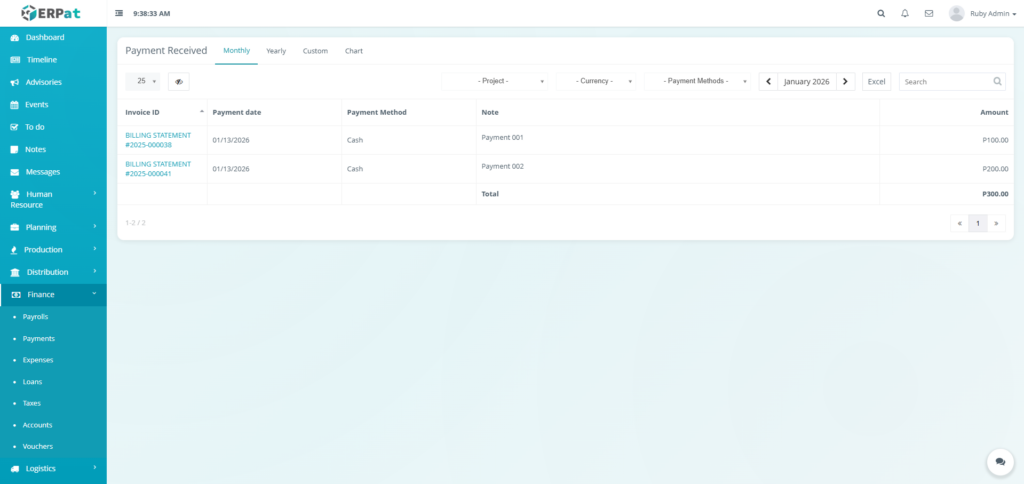
The Monthly tab displays all received payments within a selected month. Payments are listed in a table format showing invoice references, payment dates, payment methods, notes, and amounts. A total row summarizes the total payments received for the selected period.
Yearly #
The Yearly tab provides a consolidated view of all payments received within a selected year. It aggregates transactions across months, enabling users to review annual payment performance and totals.
Custom #
The Custom tab allows users to define a specific date range to view received payments. This is useful for reviewing payments across non-standard periods such as billing cycles, audits, or financial reviews.
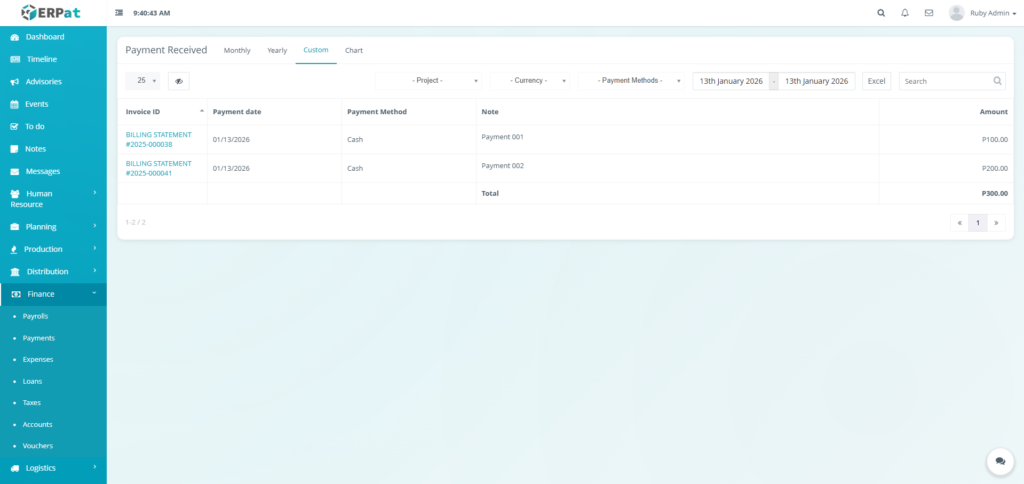
Chart #
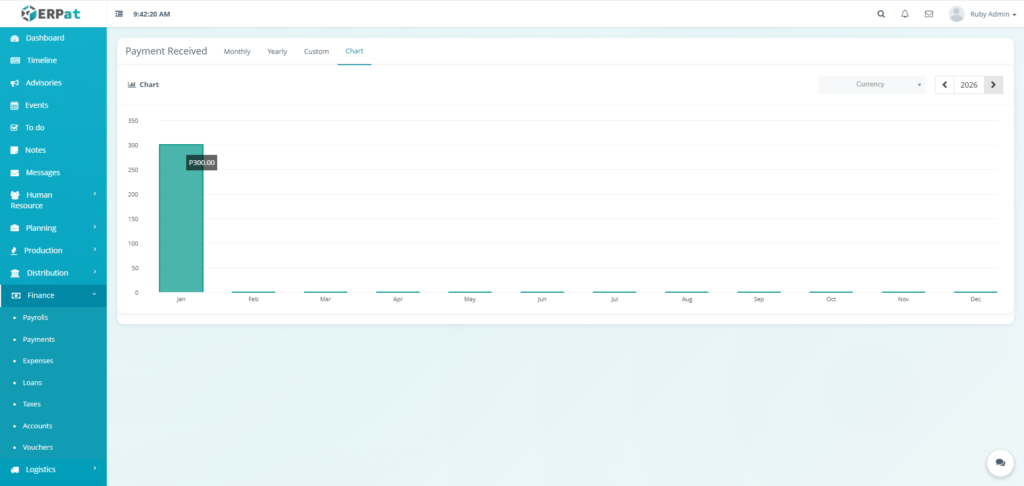
The Chart tab presents a visual representation of received payments using bar charts. Payment totals are grouped by month for the selected year, allowing users to quickly identify trends, peak payment periods, and overall revenue performance.
Users can switch currencies and navigate between years to analyze payment data visually.
Permissions and Access Control #
- Access to payment records is limited to authorized Finance users.
- All payment data is read-only to prevent unauthorized modification of financial records.
Best Practices #
- Regularly review monthly and yearly views for accurate cash flow tracking.
- Use chart analytics to identify seasonal payment trends.
- Export payment data for reconciliation against bank statements.
Audit & Logs #
All payment records are system-generated and timestamped to ensure traceability and support financial audits.
Last Updated: [January 13, 2026] Module Owner: Finance IS – ERPat System


