Overview #
The Earnings and Deductions Module is used to manage all salary components that affect an employee’s total pay. In payroll processing, an employee’s salary is composed of two main parts: earnings, which are added to the salary, and deductions, which are subtracted from it. This module ensures that all these components are properly recorded, organized, and applied during payroll computation.
Earnings may include items such as basic salary, allowances, bonuses, incentives, and overtime pay, while deductions may include taxes, government contributions, loans, absences, and other salary reductions. By managing these components in one module, the system ensures that payroll calculations are accurate and complete.
The module is divided into several sections such as Timeline, Earnings, Contributions, Deductions, BIR Tax, Cost Summary, and Categories. Each section has a specific function to help users easily manage payroll data.
This module also ensures compliance with government regulations by properly handling contributions and tax computations. Additionally, it provides a clear and organized way to track how each employee’s salary is calculated, improving transparency and accuracy in payroll management.
Earning & Deductions – Timeline #
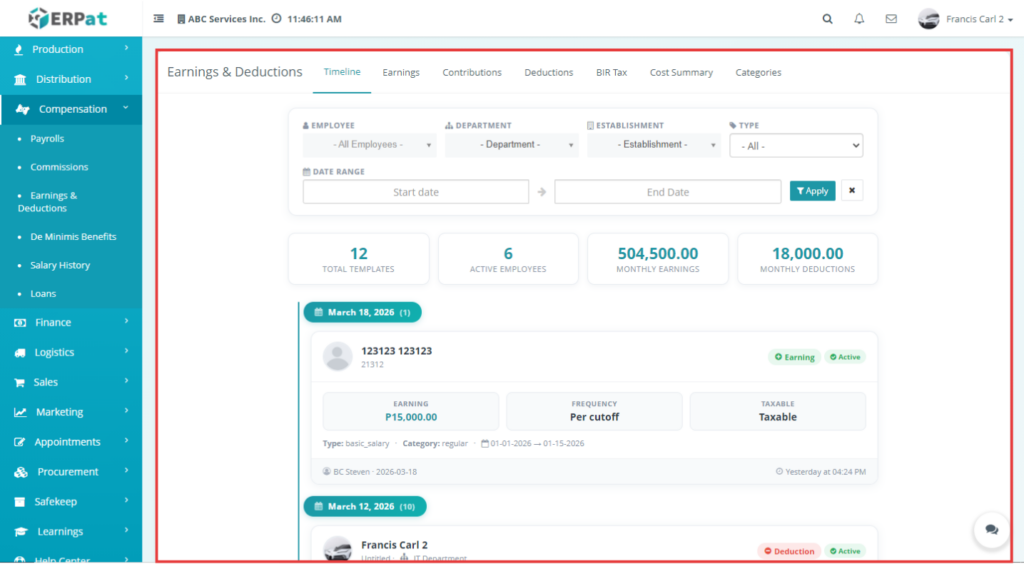
This section displays a list of all earnings and deductions that have been assigned to employees. It works like an activity log where users can easily track when a specific earning or deduction was added, updated, or applied. Each record includes important details such as the employee name, amount, frequency, category, and current status. This helps payroll administrators quickly review recent changes and verify if salary components were properly recorded.
Earning & Deductions – Earnings #
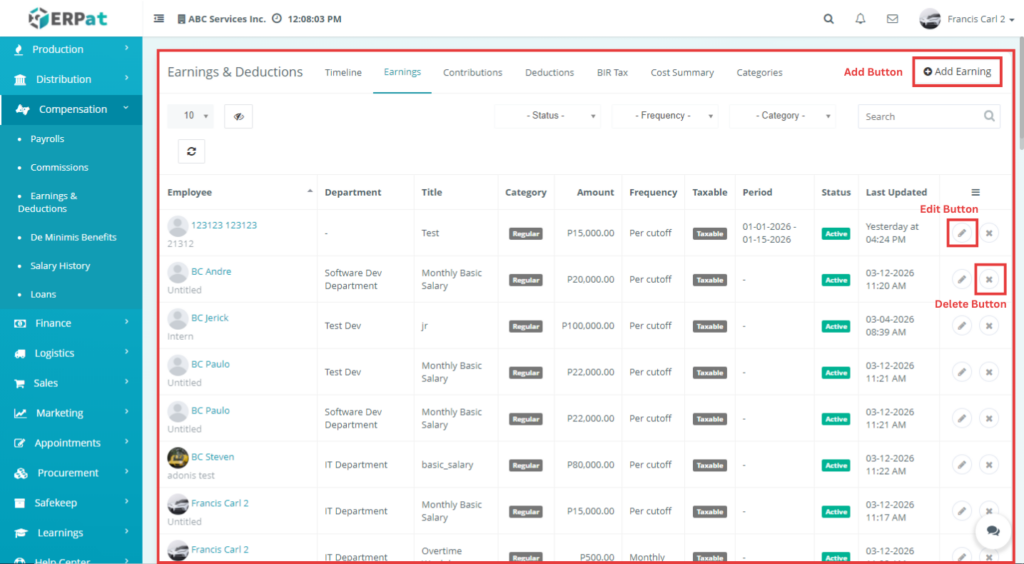
This section shows all earnings that are added to employee salaries. Earnings are payments that increase an employee’s total salary, such as allowances, bonuses, incentives, or overtime pay. From this tab, users can view existing earnings and manage them by adding new entries or updating existing ones. This ensures that all salary additions are properly recorded before payroll processing.
Earning & Deductions – Add Earning #
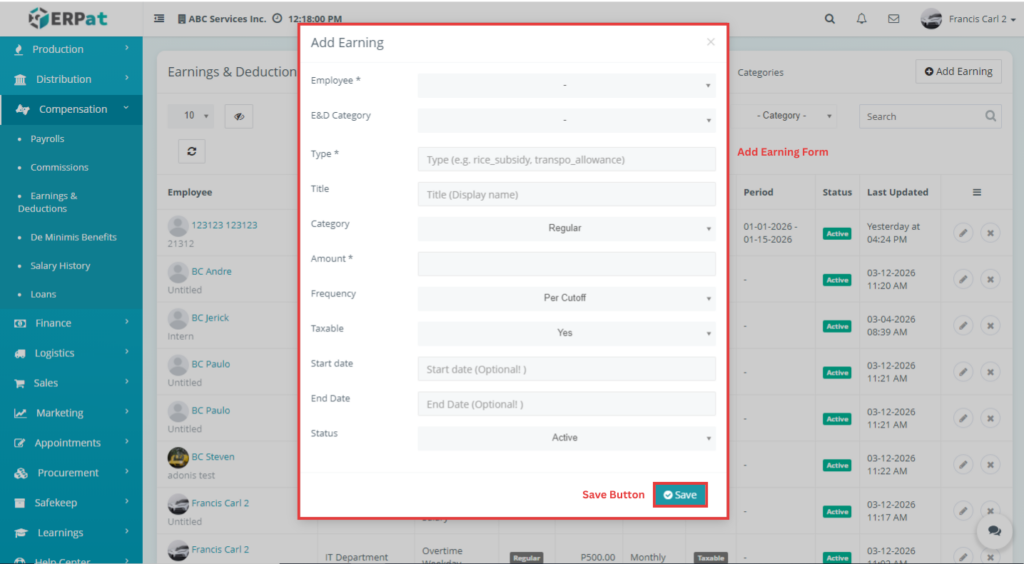
This form is used to add a new earning for an employee. The user needs to select the employee, choose the appropriate category, and input the amount and frequency of the earning. This ensures that the system correctly includes the earning in payroll computation. This form also supports special types of earnings such as De Minimis benefits.
Note: #
- The E&D Category is based on the Categories tab (Earnings only).
- The De Minimis Type comes from De Minimis Benefits > BIR Types.
- You can add a new De Minimis Type and it will reflect in this dropdown.
- De Minimis benefits are small non-taxable employee benefits.
Earning & Deductions – Edit Earning #
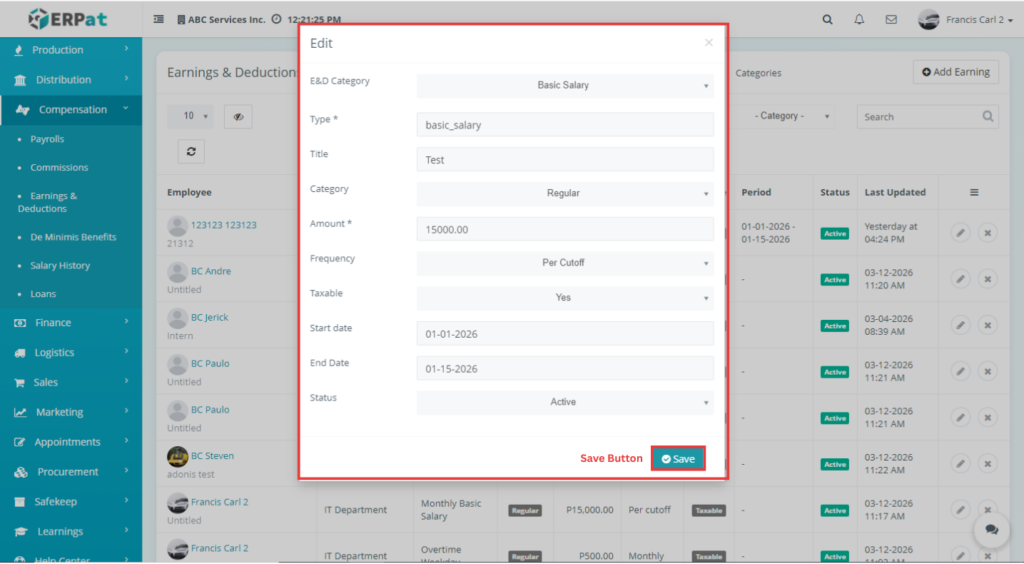
This section allows users to modify or update an existing earning. If there are changes in the amount, category, or frequency, the user can edit the record to ensure that the correct earning value is applied during payroll calculation.
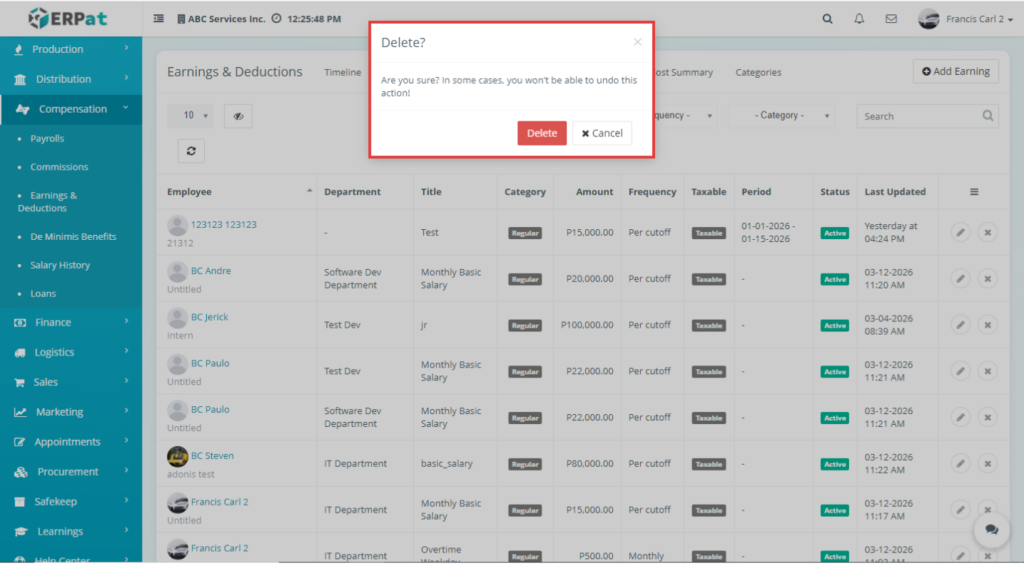
Earning & Deductions – Delete Earning #
Earning & Deductions – Contribution #
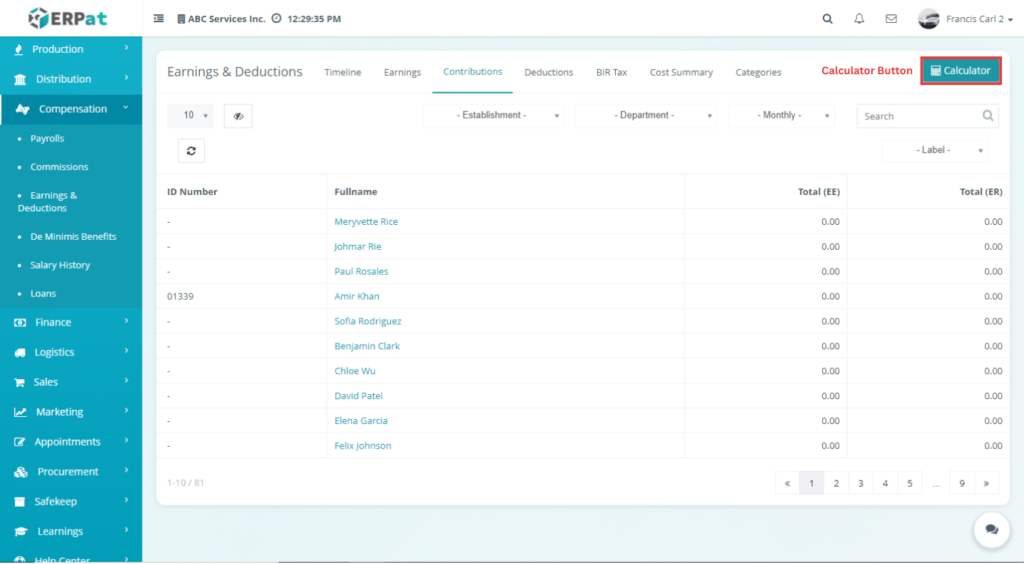
This section manages government-mandated contributions that are deducted from the employee and shared with the employer. These contributions include programs such as SSS, PhilHealth, and Pag-IBIG. It allows users to view and manage contribution records that will be used in payroll computation and tax calculation.
Earning & Deductions – Contribution – Calculator #
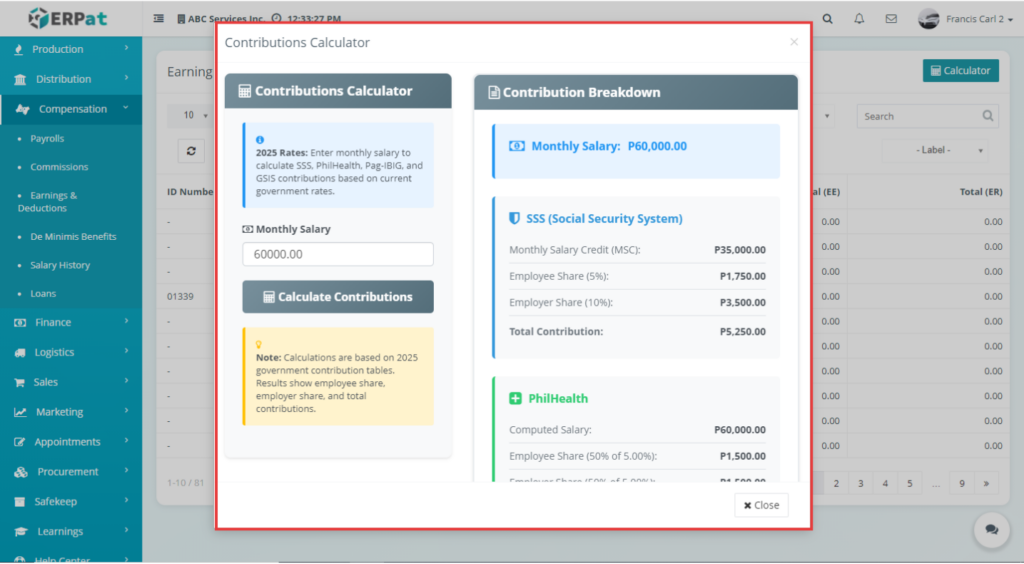
This tool is used to calculate the correct contribution amount based on the employee’s salary. The user inputs the salary, then clicks the “Calculate Contributions” button. The system will automatically compute the total contributions, including the employee share and employer share.
Note: #
- The Total Employee Share is used as the Total Contributions in the BIR Tax tab.
Earning & Deductions – Deductions #
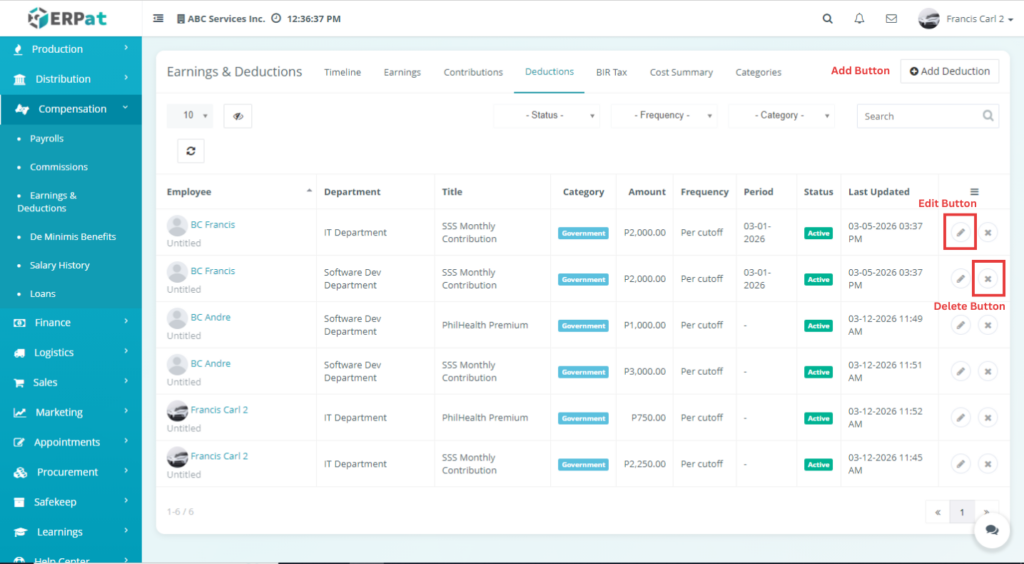
This section displays all deductions applied to employee salaries. Deductions are amounts subtracted from the total salary, such as loans, taxes, absences, or penalties. This tab allows users to manage and monitor all deduction entries to ensure accurate payroll computation.
Earning & Deductions – Add Deduction #
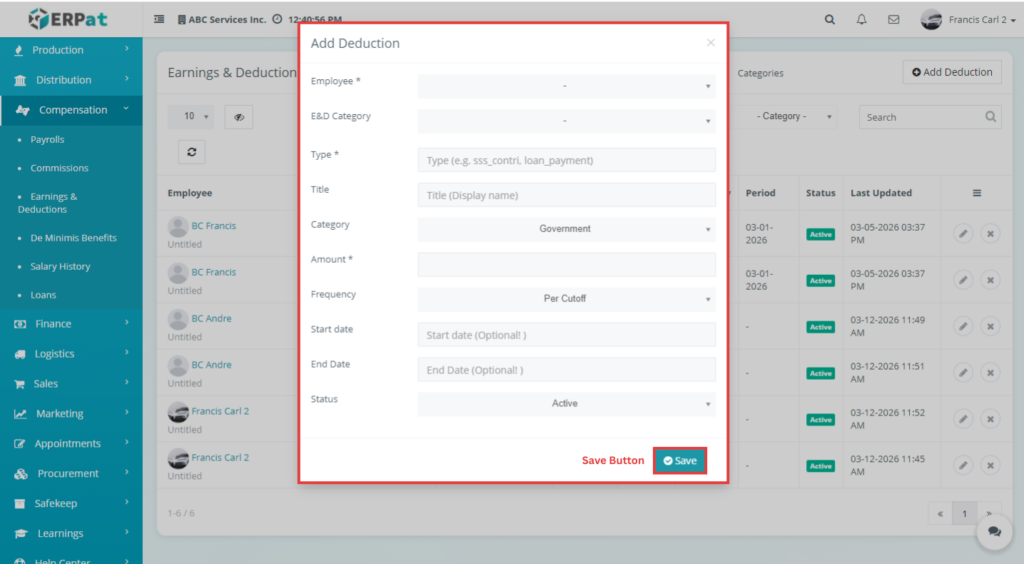
This form is used to add a new deduction for an employee. The user selects the employee, assigns the correct category, and inputs the deduction amount and frequency. This ensures that all necessary salary reductions are properly recorded and included in payroll processing.
Earning & Deductions – Edit Deduction #
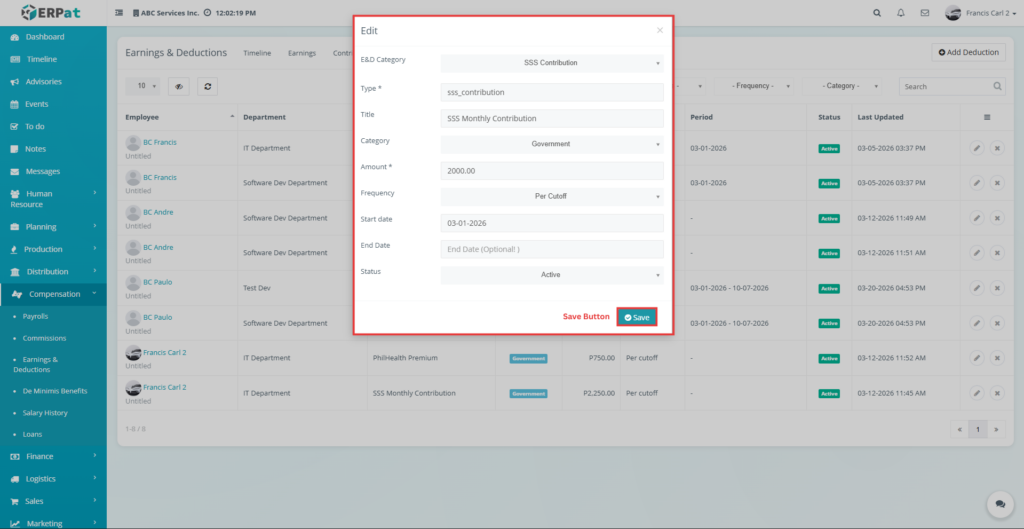
This section allows users to update an existing deduction. If there are changes in the deduction details such as amount or category, users can edit the record to ensure correct salary deductions.
Earning & Deductions – Delete Deduction #
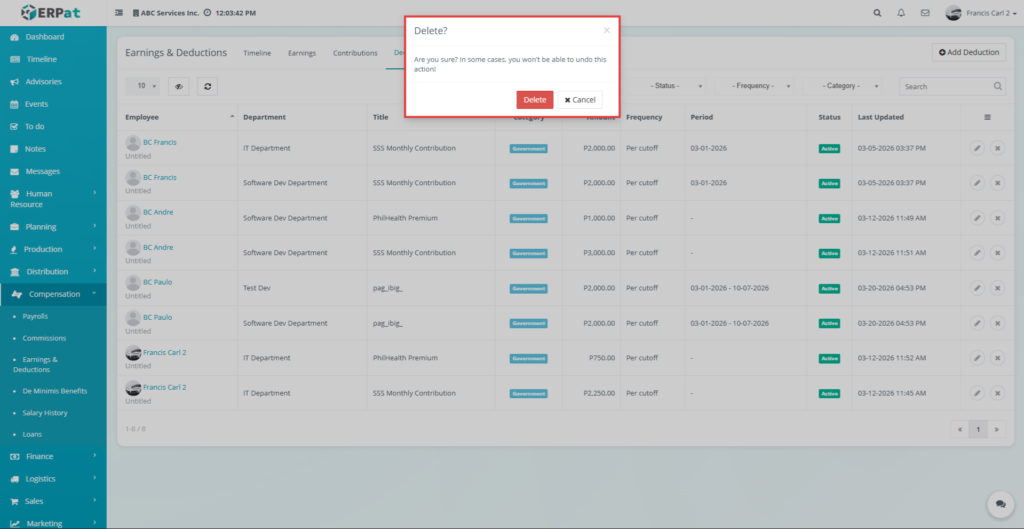
This function allows users to remove a deduction record from the system. A confirmation message is usually displayed before deletion to prevent accidental removal of important payroll data.
Earning & Deductions – BIR Tax #
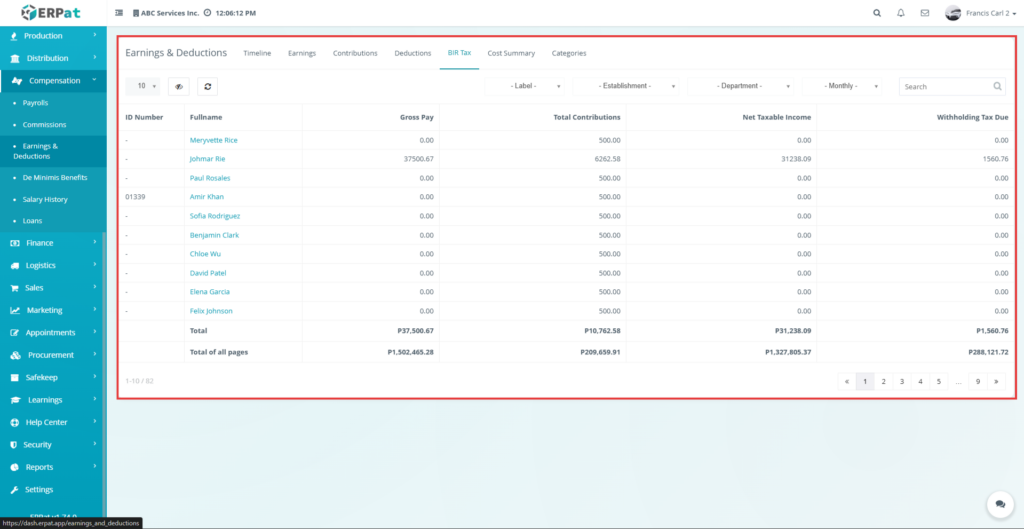
This section displays the tax-related details of employees based on their salary and contributions. The system automatically calculates the necessary values needed for tax computation, including gross pay, total contributions, net taxable income, and withholding tax. These values are used to ensure compliance with government tax regulations.
Note:
- Gross Pay is taken from the Salary History (Approved records).
- Total Contributions is taken from the Contribution Calculator (Employee Share).
- If no salary record exists, the system uses a default contribution value of 500.
- Net Taxable Income = Gross Pay – Total Contributions.
- All values are automatically computed by the system.
Earning & Deductions – Cost Summary #
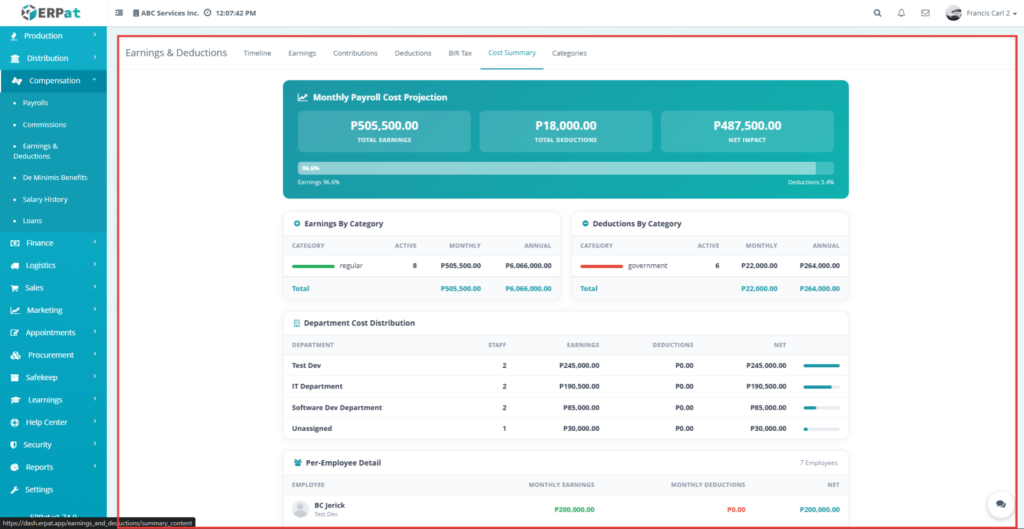
This section provides a summary of the company’s payroll expenses. It shows the total earnings, total deductions, and overall payroll cost. This helps management understand how much the company spends on employee compensation.
Earning & Deductions – Categories #
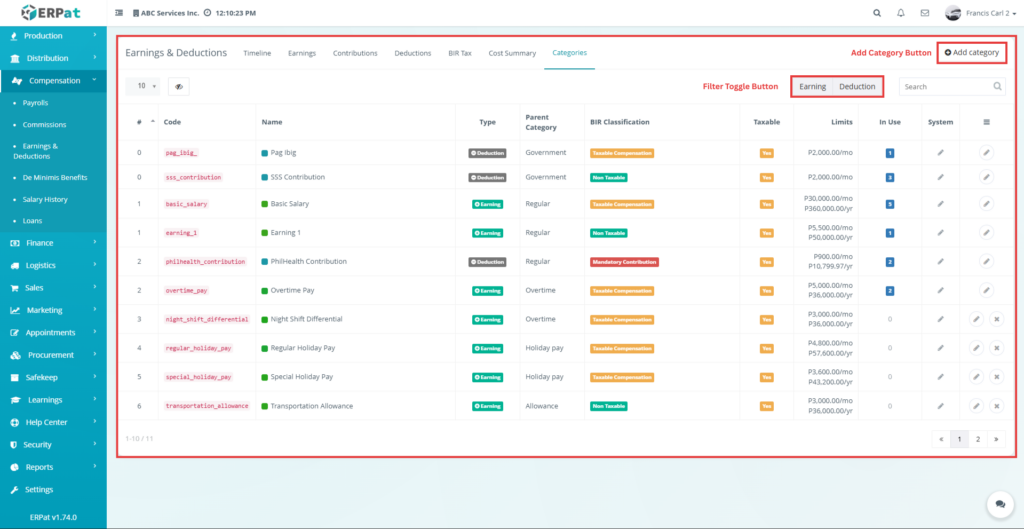
This section is used to organize earnings and deductions into categories. Categorizing helps in structuring payroll data, making it easier to manage, filter, and generate reports. These categories are later used when adding earnings and deductions.
Earning & Deductions – Categories – Add Category #
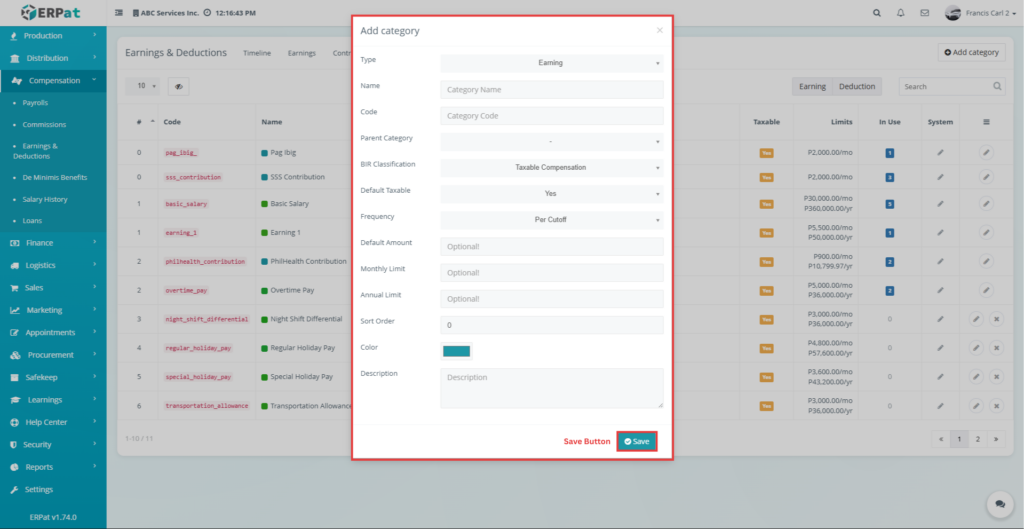
This form allows users to create a new category for either earnings or deductions. Users must define the category name, type, classification, and frequency. Proper categorization ensures that payroll components are organized and correctly applied in the system.
Note: #
- Type: Earnings or Deductions only.
- Earnings tab shows only Earnings categories.
- Deductions tab shows only Deductions categories.
Earning & Deductions – Categories – Edit Category #
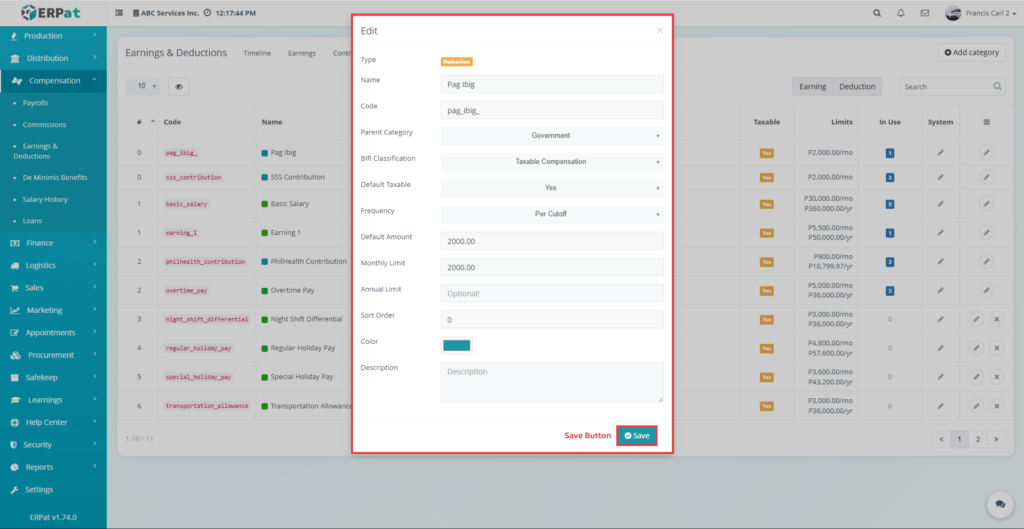
This section allows users to update the details of an existing category. Changes made here will reflect in both Earnings and Deductions forms where the category is used.
Earning & Deductions – Categories – Delete Category #
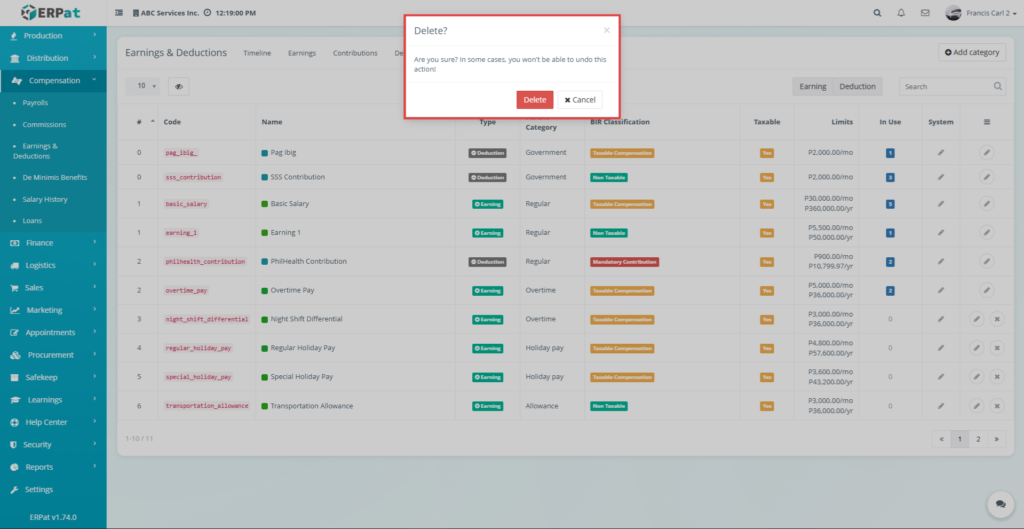
This function allows users to delete a category from the system. A confirmation message is displayed before deletion to ensure that categories are not removed accidentally.
Permissions and Access Control #
- This module is restricted to authorized users to ensure data security and integrity
- Only users with proper permissions (e.g., HR or Payroll Administrators) can create, edit, or delete earnings and deductions
- Regular employees may have view-only access depending on system configuration
Best Practices #
- Always verify the employee and category before adding records
- Double-check amounts and frequency before saving
- Use proper categories to maintain organized data
- Avoid deleting records unless necessary
- Regularly review contributions and tax computations
Audit & Logs# #
- The system records all activities performed within the module, including adding, editing, and deleting records
- Each action is logged with details such as the user, date, and type of change
Last Updated: [March 21, 2025] Module Owner: Payroll Module IS – ERPat System


