Overview #
The Establishment Module is used to manage and maintain records of company establishments, branches, sites, or work locations. These establishments serve as reference points for employee assignments, attendance tracking, scheduling, and other HR-related processes.
Each establishment record contains essential location and administrative details, ensuring consistent data usage across HR and related modules.
Key Features #
- Centralized management of company establishments
- Assignment tracking (number of employees per establishment)
- Location-based information storage
- Integration with Employee, Schedule, and Attendance modules
- Secure role-based access
Accessing the Establishment Module #
- Log in to the ERPat System.
- Navigate to Human Resource from the main sidebar.
- Select Establishment.
You will be directed to the Establishment listing page displaying all existing records.

Establishment Listing Page #
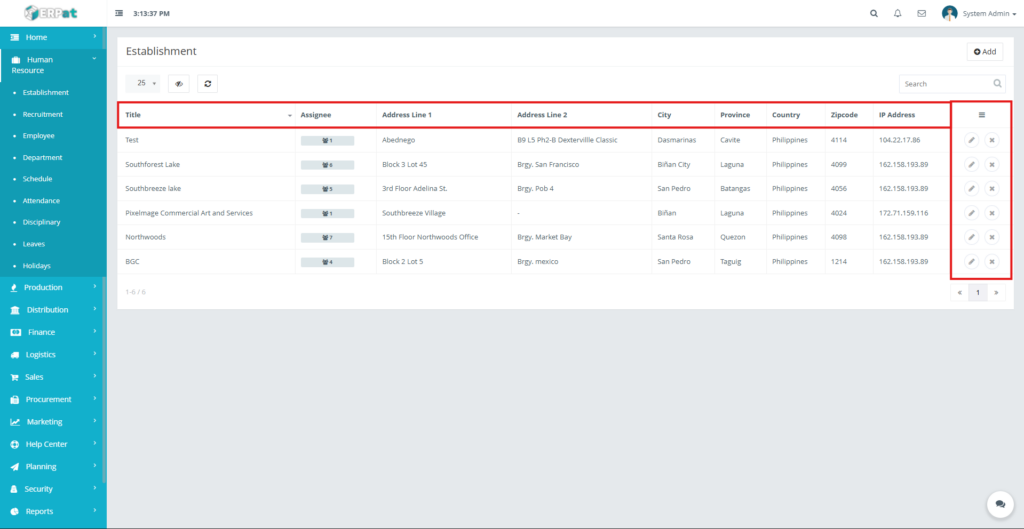
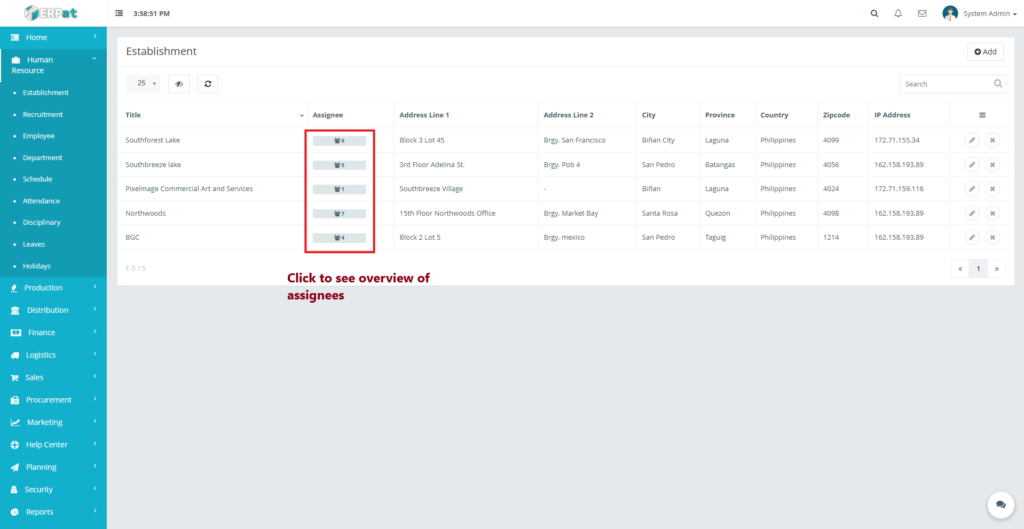
The listing page provides an overview of all establishments with the following information:
- Title – Name of the establishment or site
- Assignee – Number of employees assigned
- Address Line 1 & 2 – Location details
- City
- Province
- Country
- Zipcode
- IP Address – Registered IP (if applicable)
- Actions – Edit or Delete controls
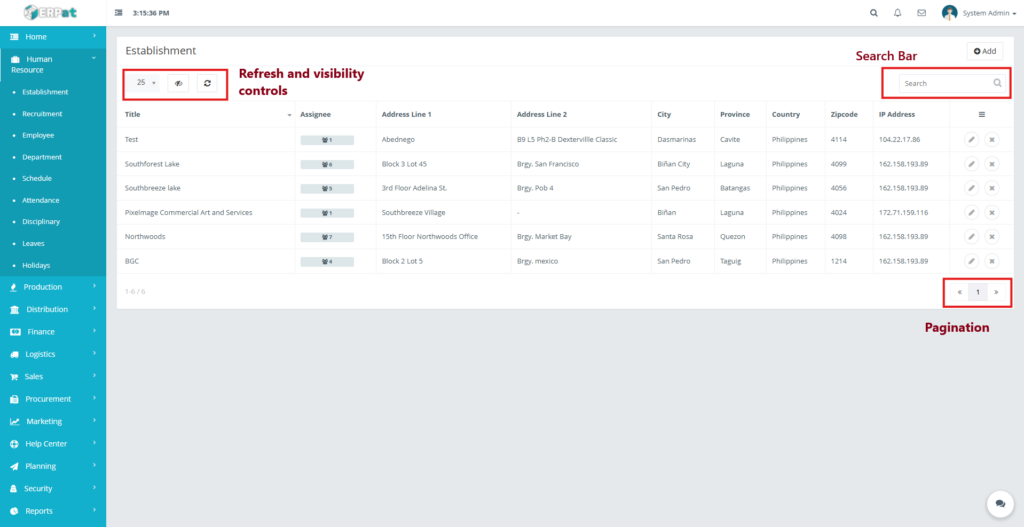
Additional controls:
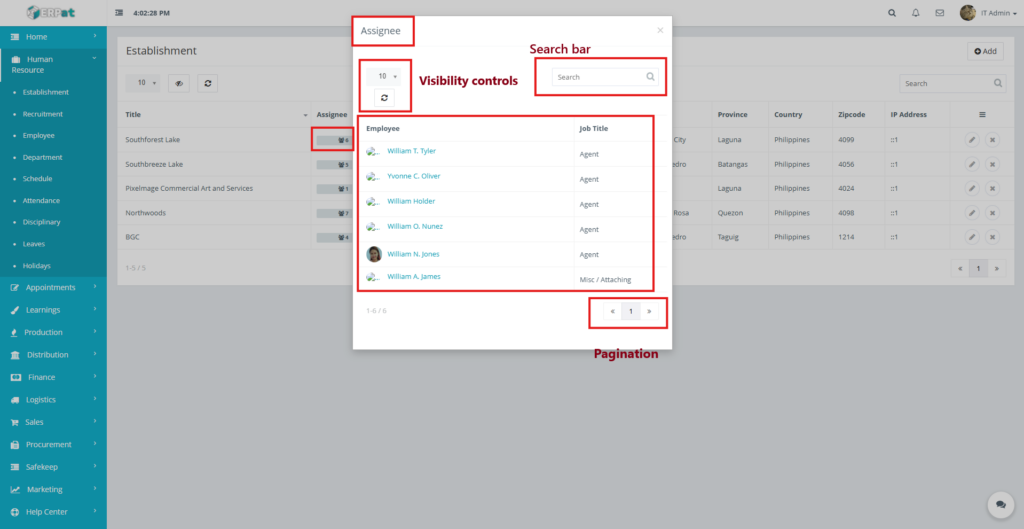
- Search bar for quick lookup
- Pagination for large datasets
- Refresh and visibility controls
Steps for Adding a New Establishment #
STEPS #
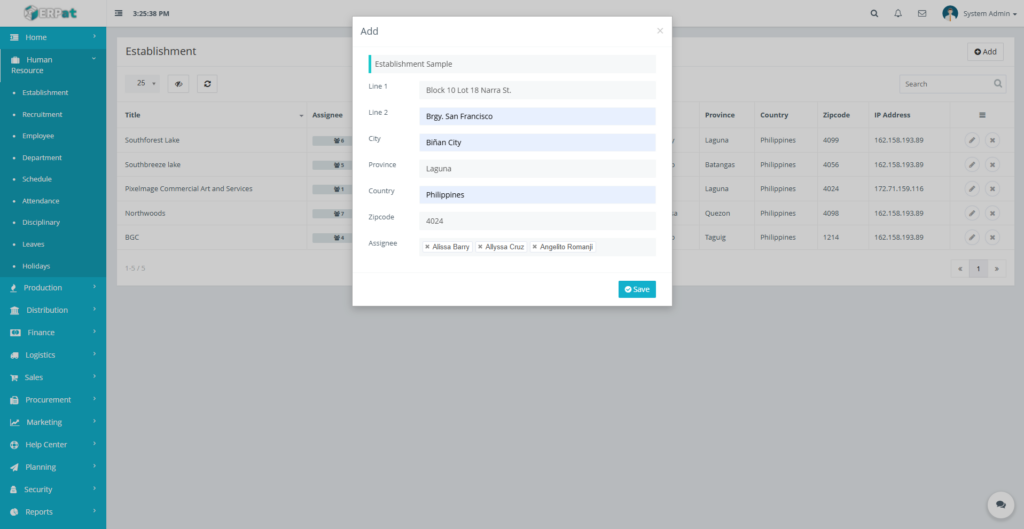
- Click the Add button located at the top-right of the page.
- Fill in the required fields:
- Title
- Address Line 1
- Address Line 2 (optional)
- City
- Province
- Country
- Zipcode
- Assignee/s
- Review the information for accuracy.
- Click Save to create the establishment.
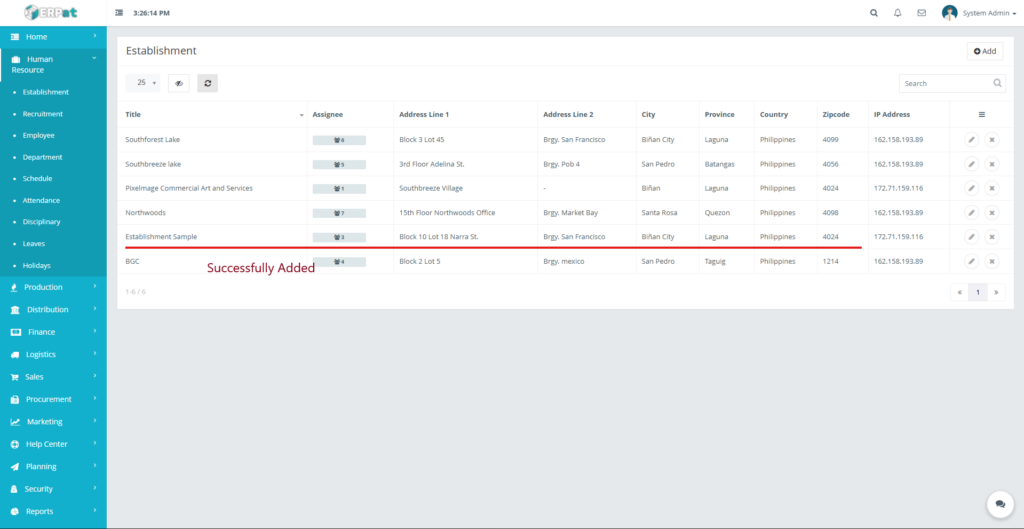
Result #
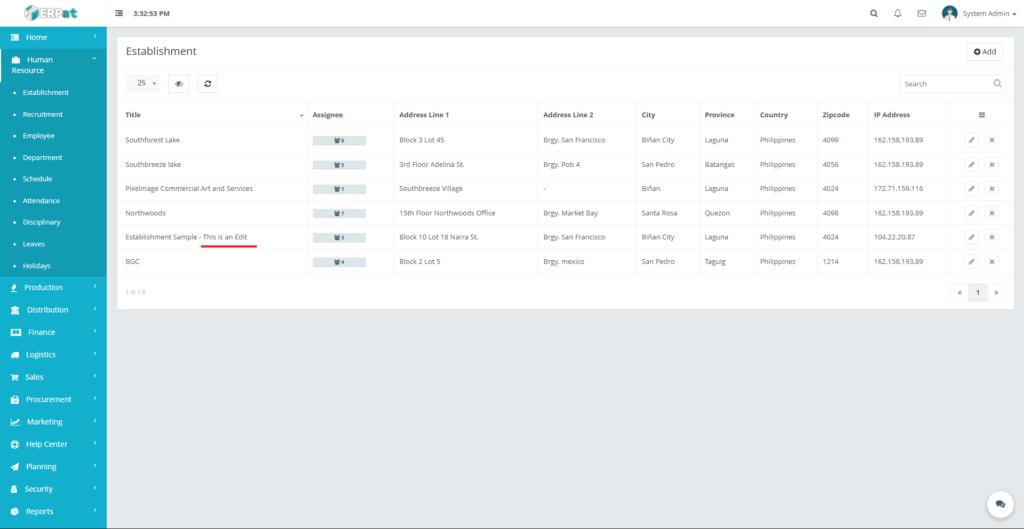
The newly added establishment will appear in the listing and become available for employee assignment.
Steps for Editing an Establishment #
STEPS #
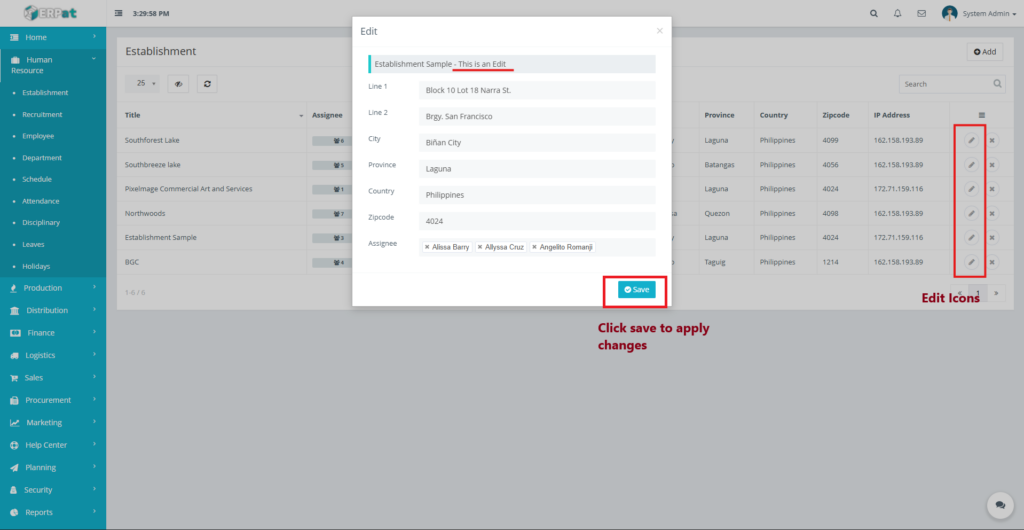
- Locate the establishment from the listing.
- Click the Edit (✎) icon under the Actions column.
- Update the necessary fields.
- Click Save to apply changes.
Notes: #
- Changes will reflect across all linked HR modules.
- Existing employee assignments remain intact unless removed.
Steps to Delete an Establishment #
STEPS #
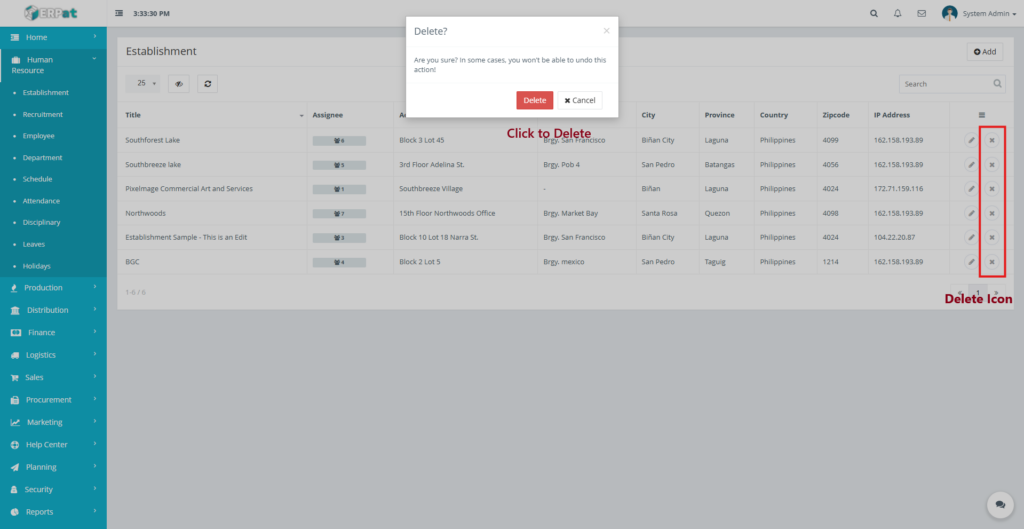
- Locate the establishment to be removed.
- Click the Delete (✖) icon under the Actions column.
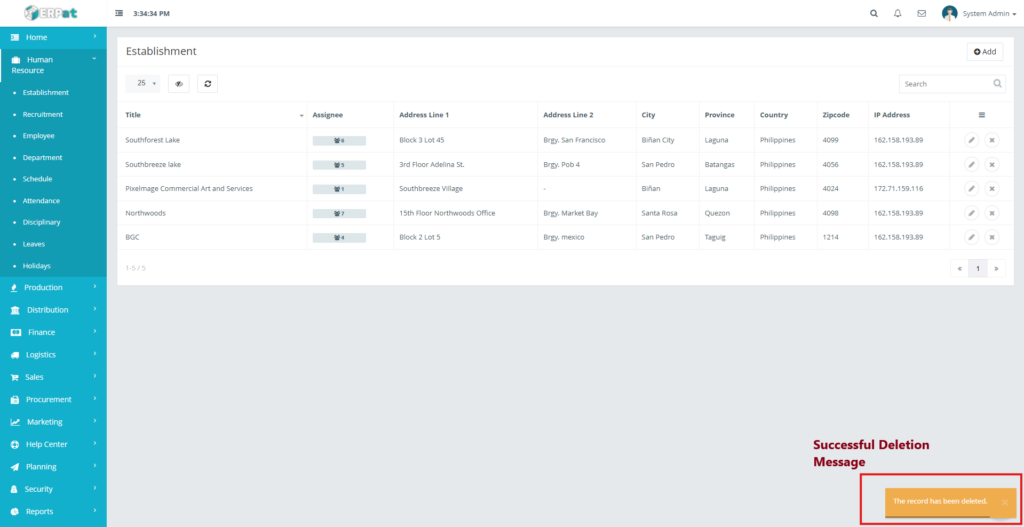
- Confirm the deletion when prompted.
Assignee Indicator #
- Displays the total number of employees linked to an establishment when clicked.
- Used for workforce distribution and capacity monitoring.
Search and Filtering #
- Use the Search field to find establishments by name, city, or province.
- Pagination controls help navigate through multiple records efficiently.
Permissions and Access Control #
- Only authorized HR or Admin roles can add, edit, or delete establishments.
- View-only access may be granted to supervisory roles.
Best Practices #
- Use standardized naming conventions for establishments.
- Ensure address details are accurate for reporting and compliance.
- Avoid deleting establishments that are still in active use.
Audit & Logs #
All create, update, and delete actions for establishments are logged for audit and compliance purposes within the ERPat System.
Last Updated: [December 18, 2025] Module Owner: Human Resource IS – ERPat System


