Overview #
The Notes Module is a private, user-specific note-taking and personal information management system within the ERPat platform. It enables individual users to create, organize, and quickly retrieve personal notes, reminders, and reference information in a secure, private workspace.
This module provides a streamlined interface for capturing thoughts, meeting notes, task reminders, or any other personal documentation without cluttering shared organizational spaces, ensuring that personal notes remain accessible only to their creator.
Key Features #
- Private Note Storage – All notes are visible only to the creator
- Title-Based Organization – Clear labeling for easy identification
- Search Functionality – Find notes by title or content keywords
- Date Tracking – Automatic timestamps for creation and updates
- Label System – Optional categorization using message labels
Accessing the Notes Module #
- Log in to the ERPat System.
- Navigate to the Notes section from the sidebar.
- The notes list will display your private notes.
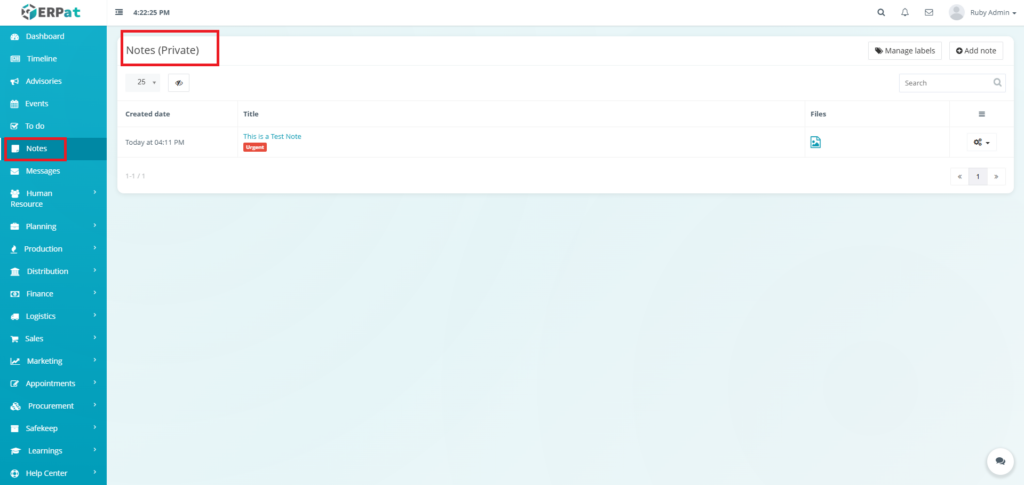
Notes – Steps for Adding a Note #
STEPS #
- Click the “Add note” button.
- Fill in the necessary details.
- Click the Save button to add the note.
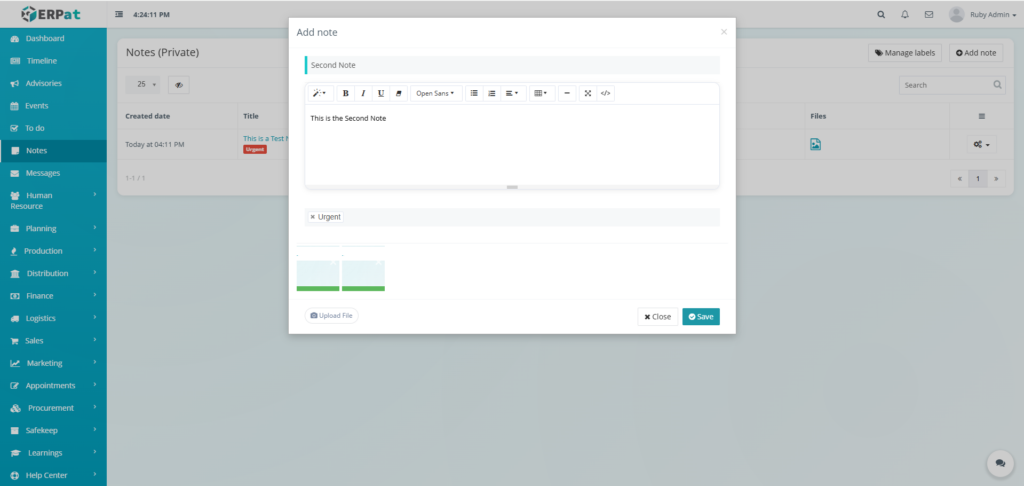
Result #
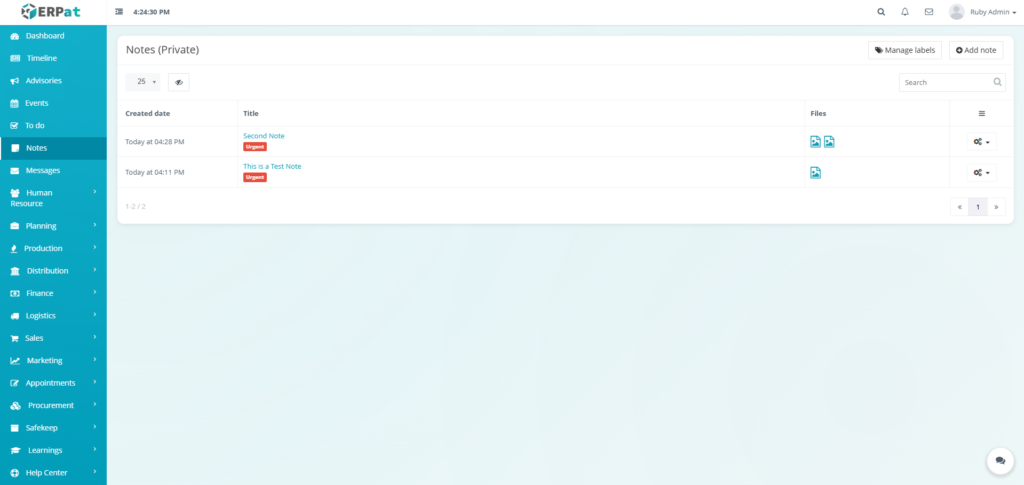
Notes – Steps for Viewing a Note #
STEPS #
- Click the Title of the Note
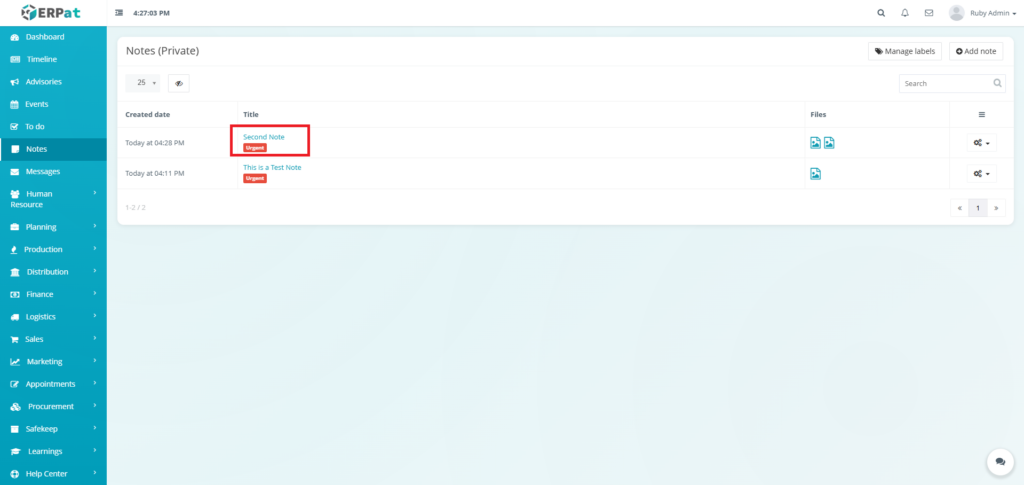
Result #
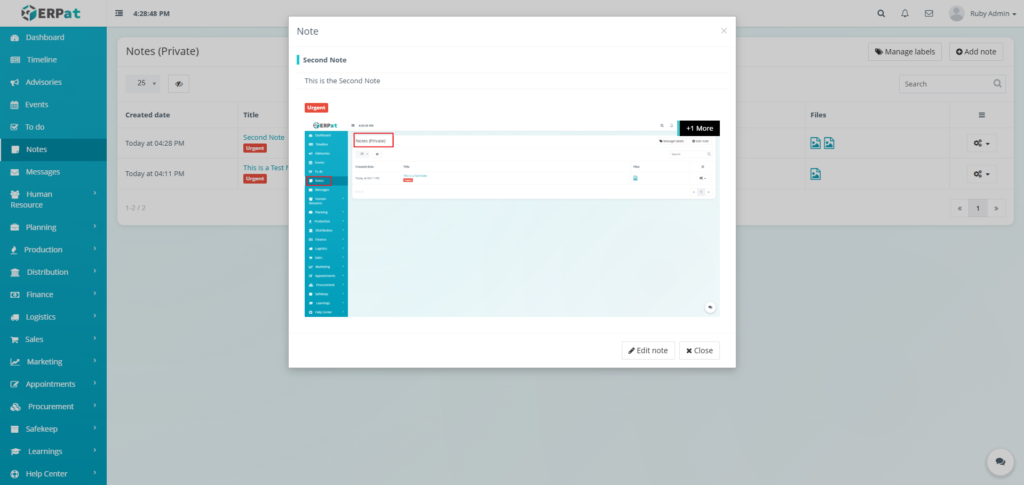
Notes – Steps for Editing a Note #
STEPS #
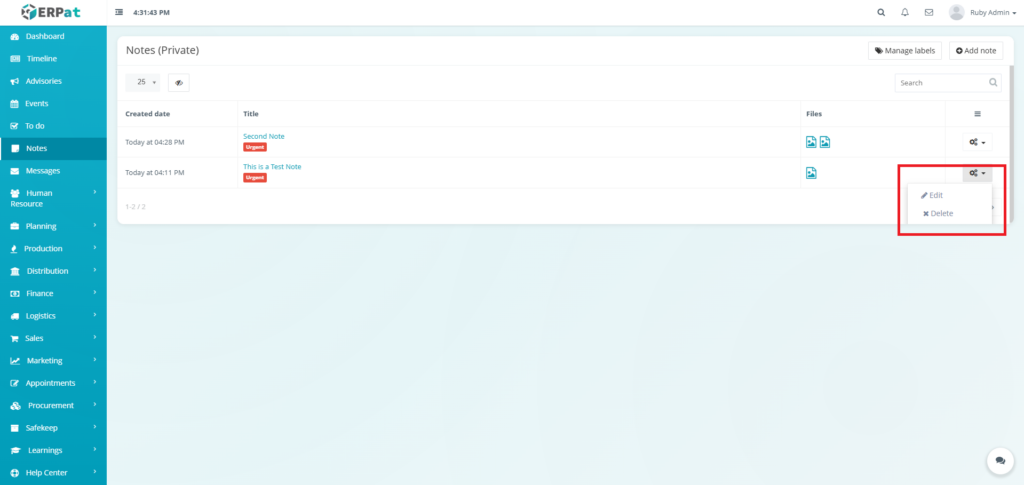
- Click the actions icon.
- Click the Edit option in the
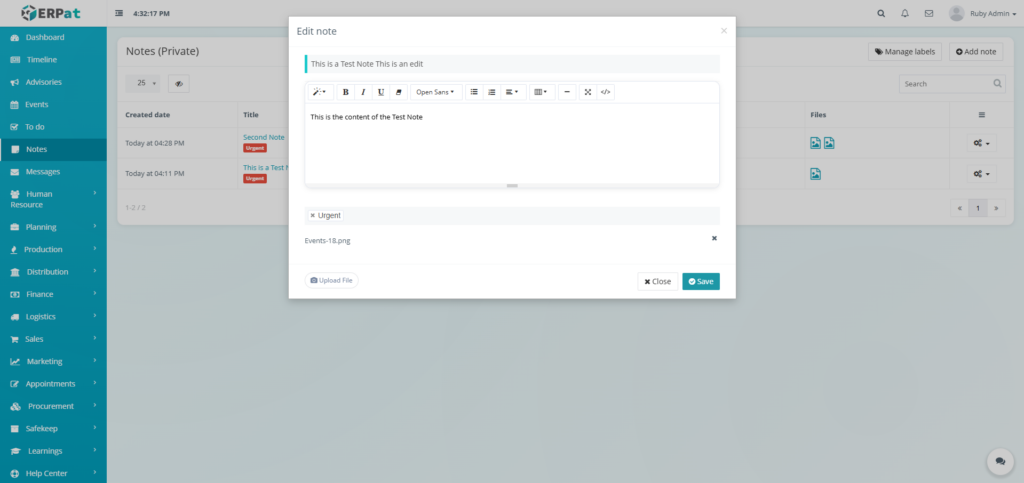
- Fill in the necessary details.
- Click the Save button to apply the changes.
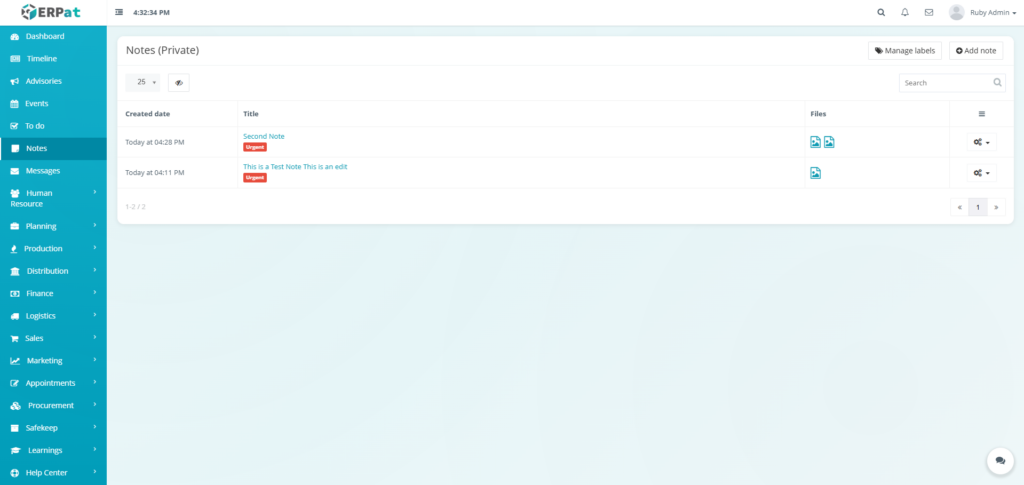
Result #
Notes – Steps for Deleting a Note #
STEPS #
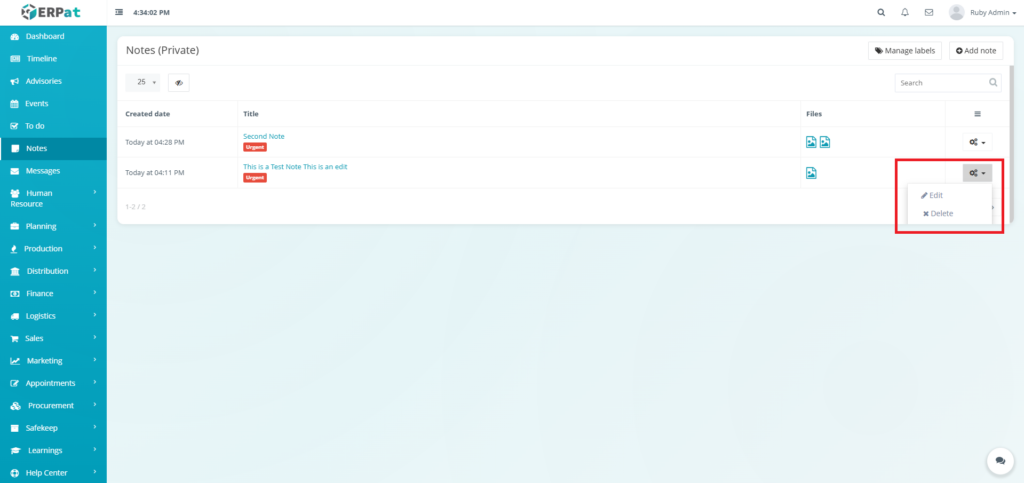
- Click the actions icon.
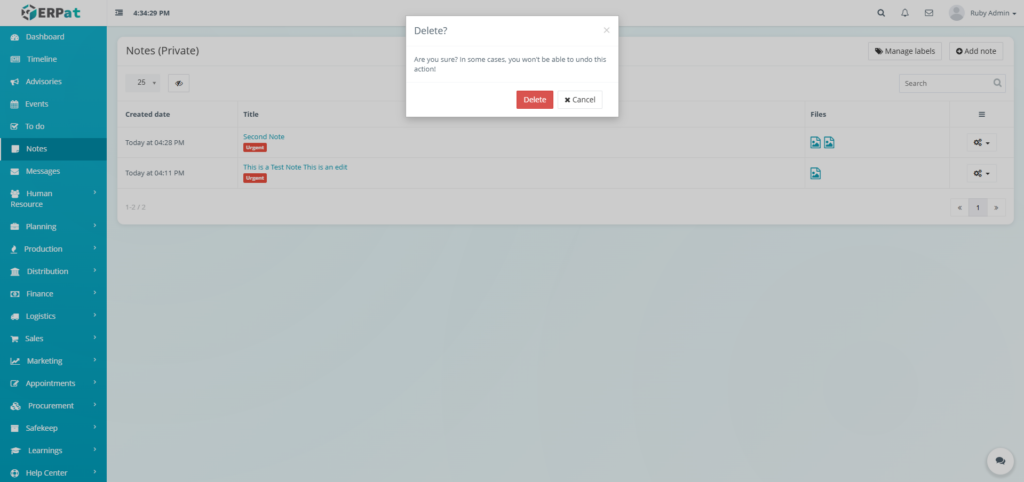
- Click the Delete option in the
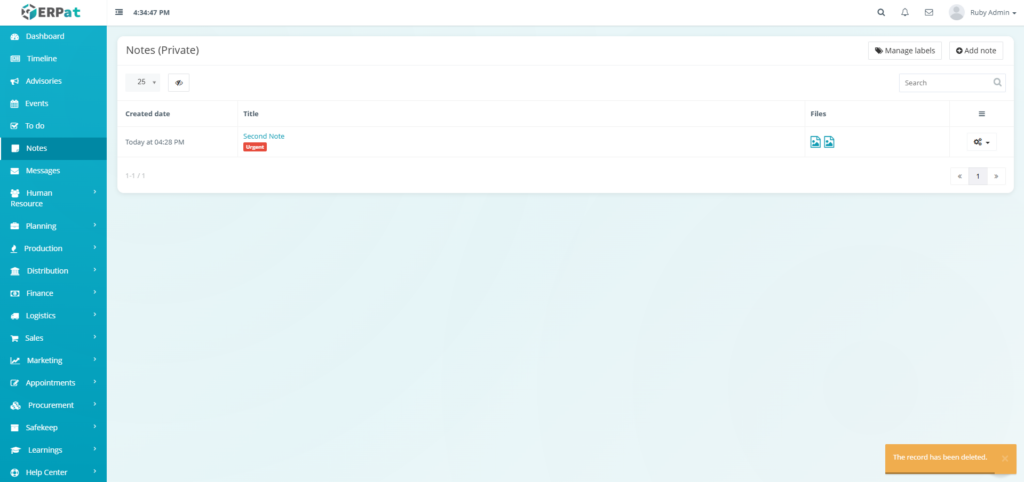
- Click the Delete button to remove the note.
Result #
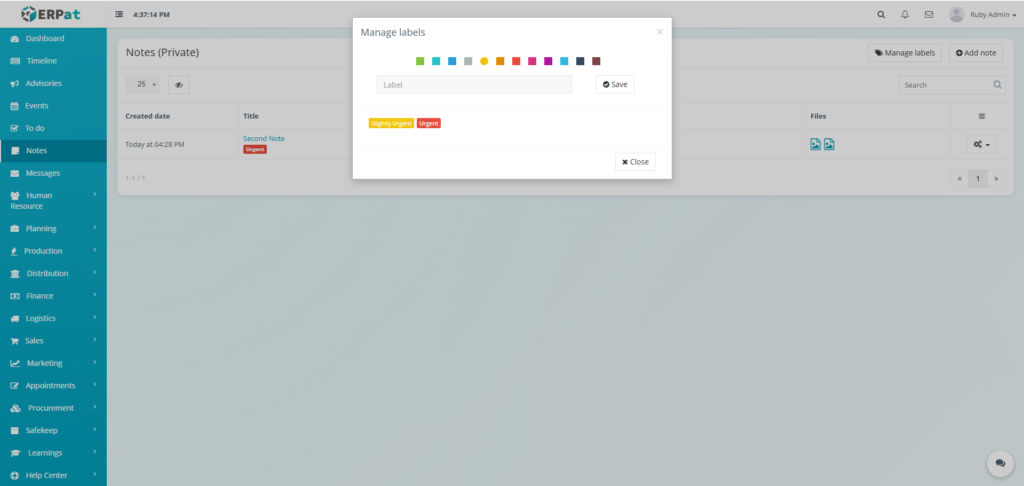
Notes – Steps for Adding a Label #
STEPS #
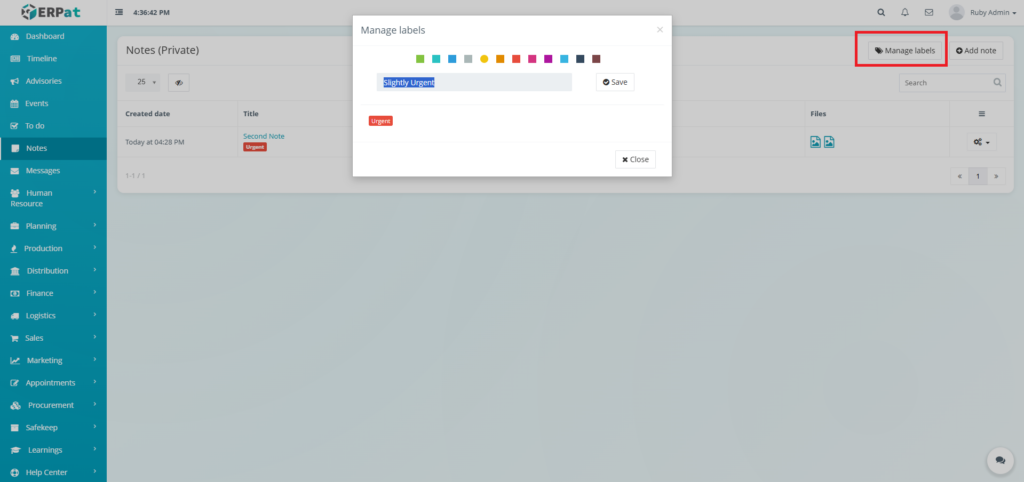
- Click the “Manage labels” button.
- Fill in the label.
- Select color for the label.
- Click the Save button to add the label.
Result #
Permissions and Access Control #
- Individual Users – Full access to view, create, edit, and delete their own private notes only.
- System Administrators – Cannot access user’s private notes without explicit permission.
- Other Users – No access to another user’s private notes.
Best Practices #
- Use Descriptive Titles – Make notes easily identifiable at a glance.
- Regular Cleanup – Archive or delete outdated notes monthly.
- Label Consistently – Use a small set of labels for better organization.
- Leverage Search – Use keywords in titles and content to improve searchability.
Audit & Logs #
While notes are private, system logs track creation and modification timestamps for user reference. Note content is not audited for privacy, but access patterns may be logged for security purposes.
Last Updated: [January 05, 2026] Module Owner: Home IS – ERPat System


