Human Resource Information System

9
  • Establishment Module
  • Recruitment Module
  • Employee Module
  • Department Module
  • Schedule Module
  • Attendance Module
  • Disciplinary Module
  • Leaves Module
  • Holidays Module

Appointments Information System

1
  • Sessions Module

ERPat Dashboard

1
  • Dashboard

Internal Staff Modules

6
  • Timeline Module
  • Advisories Module
  • Events Module
  • To Do Module
  • Notes Module
  • Messages Module

Learnings Information System

3
  • Courses Module
  • Certifications Module
  • Skillsets Module

Production Information System

3
  • Manufacturing Order Module
  • Bill of Materials Module
  • Units Module

Distributions Information System

2
  • Warehouses Module
  • Pallets Module

Finance Information System

7
  • Payrolls Module
  • Payments Module
  • Expenses Module
  • Loans Module
  • Taxes Module
  • Accounts Module
  • Vouchers Module

Logistics Information System

4
  • Delivery Module
  • Transfer Module
  • Vehicles Module
  • Drivers Module

Sales Information System

7
  • Invoices Module
  • Estimates Module
  • Items Module
  • Brands Module
  • Clients Module
  • Customers Module
  • Stores Module

Procurement Information System

3
  • Purchases Module
  • Returns Module
  • Supplier Module

Safekeep Information System

1
  • Assets Module

Marketing Information System

5
  • Leads Module
  • Campaigns Module
  • Forms Module
  • Raffle Draw Module
  • Event Pass Module

Help Center Information System

4
  • Tickets Module
  • Internal Wiki Module
  • Knowledge Base Module
  • Pages Module

Planning Information System

4
  • All Projects Module
  • View Gantts Module
  • My Tasks Module
  • Timesheets Module

Security Information System

3
  • Device Management Module
  • Locked Accounts Module
  • Access Logs Module

Reports Information System

4
  • Attendance Module
  • Financial Analysis Module
  • Sales Summary Module
  • System Logs Module

Settings Information System

7
  • Setup Settings
  • Client Settings
  • Security Settings
  • Maintenance Settings
  • Customization Settings
  • Components Settings
  • System Settings

Compensation

6
  • Loans
  • Salary History
  • De Minimis Benefits
  • Earnings & Deductions
  • Commissions
  • Payrolls
  • Home
  • Docs
  • Planning Information System
  • View Gantts Module
View Categories

View Gantts Module

1 min read

Overview #

The Gantt Charts Module is used to visualize project timelines, tasks, and milestones in a structured time-based layout. It enables teams to monitor project schedules, track task progress, and understand dependencies between activities. This module supports planning and execution by providing a clear graphical representation of project workflows across specific dates. Each timeline displayed reflects data sourced from the Projects and Tasks modules.

Key Features #

  • Visual timeline of project activities
  • Milestone-based grouping
  • Read-only task scheduling view
  • Project progress monitoring
  • Dependency visualization
  • Project-based filtering
  • Status-based filtering
  • Timeline day view
  • Integration with Projects and Tasks modules

Accessing the Gantt Charts Module #

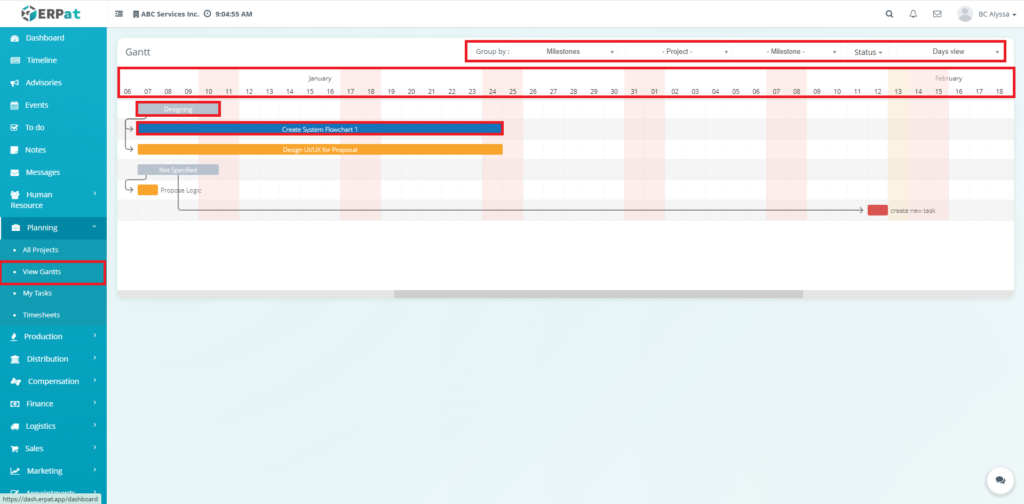
  1. Log in to the ERPat System.
  2. Navigate to Planning from the main sidebar.
  3. Select View Gantts.

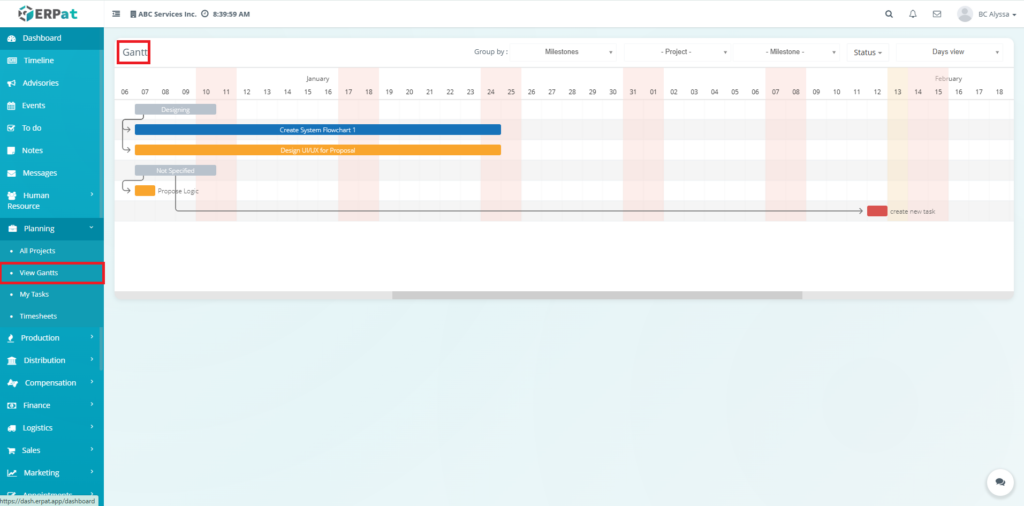
You will be directed to the Gantt Chart page, displaying project timelines and task schedules.

Gantt Charts Page #

The page provides a timeline overview of project activities with the following elements:

  • Timeline Header – Displays calendar dates across months
  • Task Bars – Visual representation of task duration
  • Milestones – Key checkpoints within the project
  • Dependencies – Task relationships and sequence flow
  • Project Tasks – Activities linked to specific projects
  • Status Indicators – Progress and scheduling alignment
Data Source #

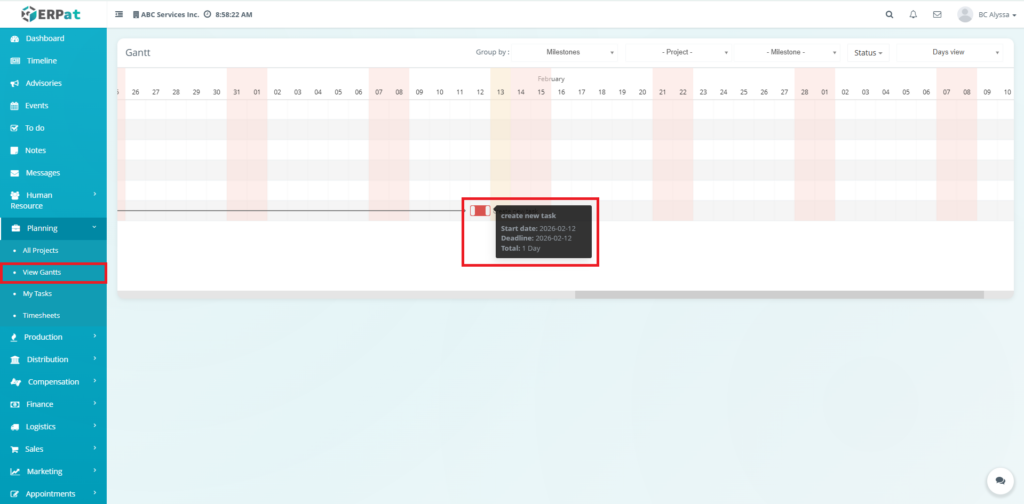
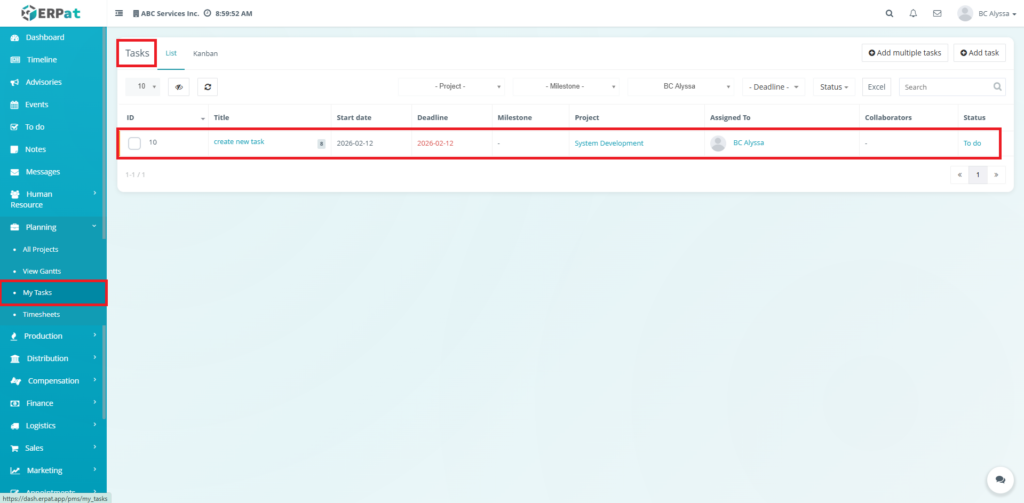
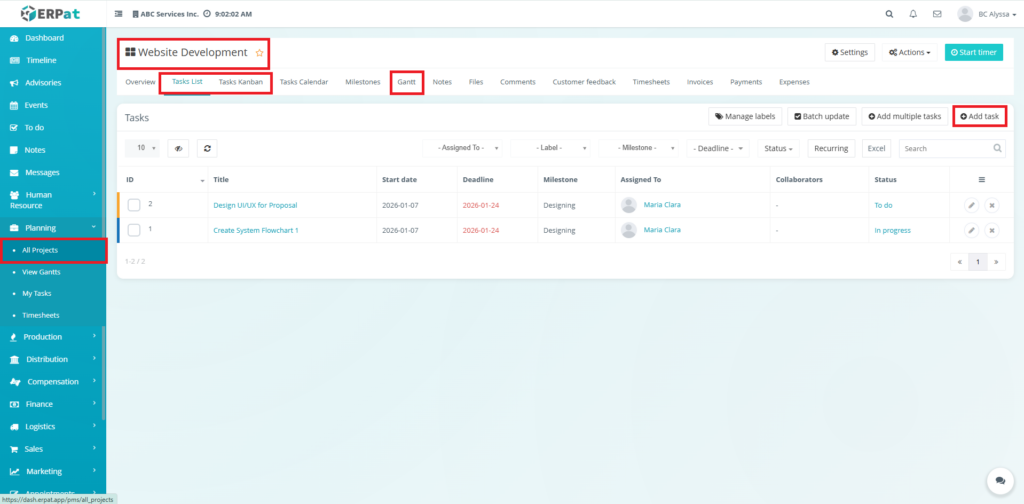
Tasks and timelines displayed in the Gantt Chart are automatically generated from:

  • All Projects
  • My Tasks

Important:

The Gantt Chart is a read-only reporting view.
Users cannot create, edit, or delete tasks directly from this module


Filters and Viewing Options #

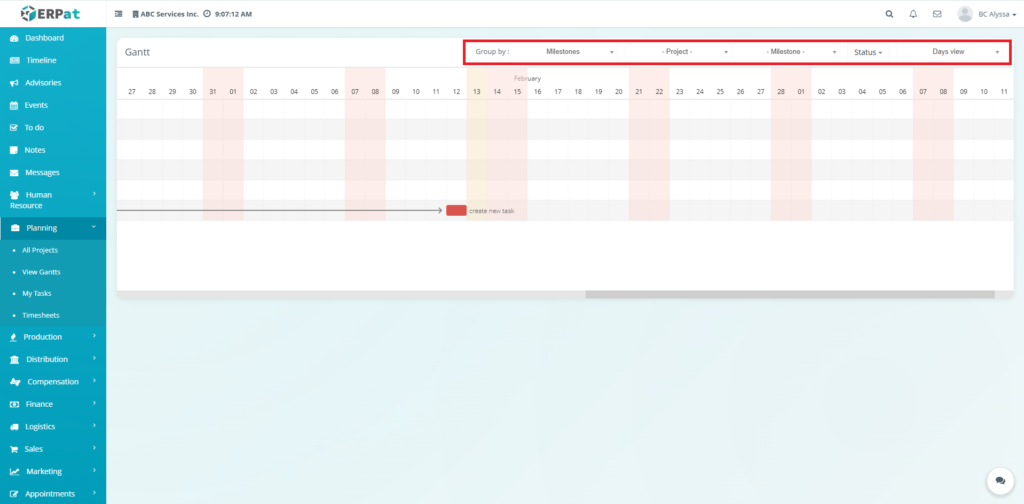
Users may customize the timeline view using:

  • Group By – Organize tasks by Milestones
  • Project Filter – Display selected project timelines
  • Milestone Filter – Focus on specific phases
  • Status Filter – View tasks by progress state
  • Days View – Adjust timeline granularity

These controls help refine reporting visibility.

Milestones #

Milestones represent major project phases.

They:

  • Segment project timelines
  • Provide progress checkpoints
  • Help organize task groupings

Dependencies #

Dependencies show the sequence between tasks.

They help users:

  • Understand workflow order
  • Identify bottlenecks
  • Monitor scheduling impact

Permissions and Access Control #

  • Accessible to authorized Planning users
  • View-only for most operational roles
  • Editing permissions are managed in the Projects / Tasks modules

Best Practices #

  • Maintain accurate task schedules in the Projects or Tasks modules
  • Use milestones for better timeline segmentation
  • Regularly review the Gantt Chart for deadline tracking
  • Avoid relying on the Gantt for task updates — it is for monitoring only

Audit & Logs #

Since the Gantt Chart is a reporting module, no direct actions are logged here. However, all timeline changes originating from Projects or Tasks are recorded in their respective audit logs.

Last Updated: [February 13, 2026] Module Owner: Planning IS – ERPat System

What are your Feelings

Share This Article :

  • Facebook
  • X
  • LinkedIn
  • Pinterest
Still stuck? How can we help?

How can we help?

Updated on February 13, 2026
My Tasks ModuleAll Projects Module

Leave A Comment Cancel reply

Table of Contents
  • Overview
  • Key Features
  • Accessing the Gantt Charts Module
  • Gantt Charts Page
  • Data Source
  • Filters and Viewing Options
  • Milestones
  • Dependencies
  • Permissions and Access Control
  • Best Practices
  • Audit & Logs
We use cookies to ensure that we give you the best experience on our website. If you continue to use this site we will assume that you are happy with it.