Overview #
The Device Management Module in the ERPat system is used to monitor, track, and manage user device sessions and device group configurations. It provides administrators with visibility into user access activity, device information, and session status to ensure system security and proper access control.
The module consists of two tabs: Entries and Groups. Each tab supports specific functionality for session monitoring and device organization.
Key Features #
- Centralized device session monitoring
- Real-time user session tracking
- Device and browser identification
- IP address tracking
- Device grouping and classification
- Status management for device groups
- Search and filtering tools
- Excel export for reporting
- Pagination and record management
- Role-based access control
Accessing the Device Management Module #
STEPS #
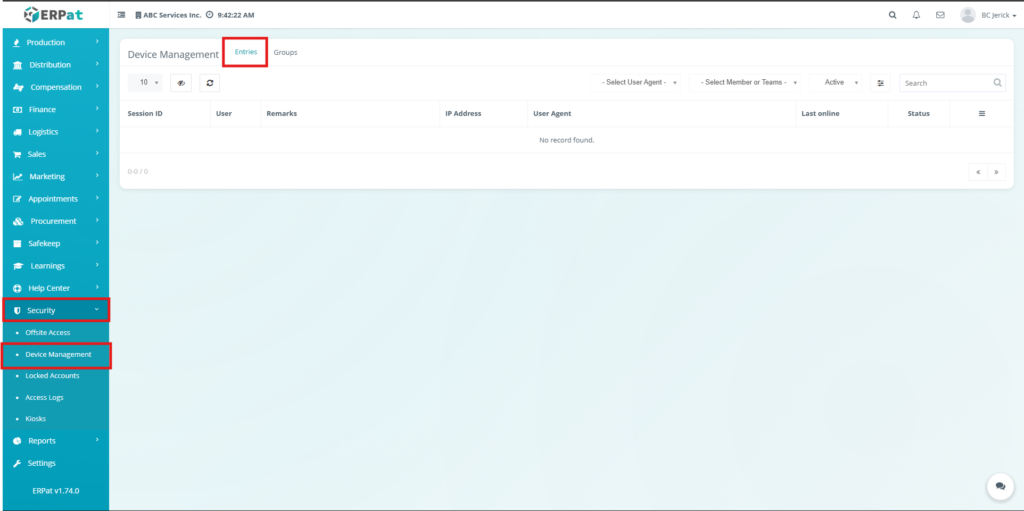
- Navigate to the left sidebar menu.
- Click Security.
- Select Device Management.
Entries Tab #
The Entries Tab displays all recorded device sessions in the system. It provides real-time monitoring of user access, including device details, IP address, and session activity, allowing administrators to track user behavior and system usage.
Listing Page #
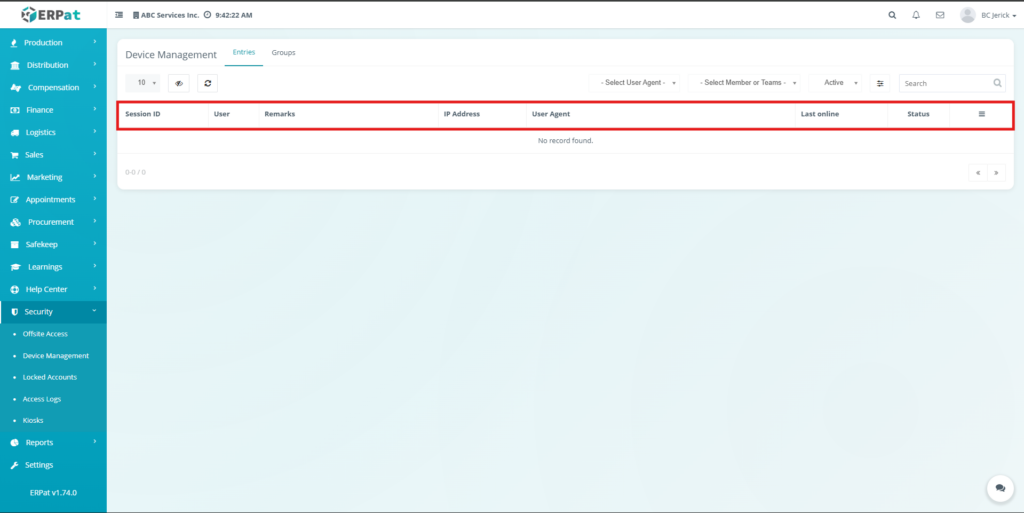
The listing page provides an overview of all device sessions with the following information:
- Session ID – Unique identifier of the session
- User – Name of the logged-in user
- Remarks – Additional session notes
- IP Address – IP used during login
- User Agent – Device or browser information
- Last Online – Last recorded activity timestamp
- Status – Current session status
Additional Controls #
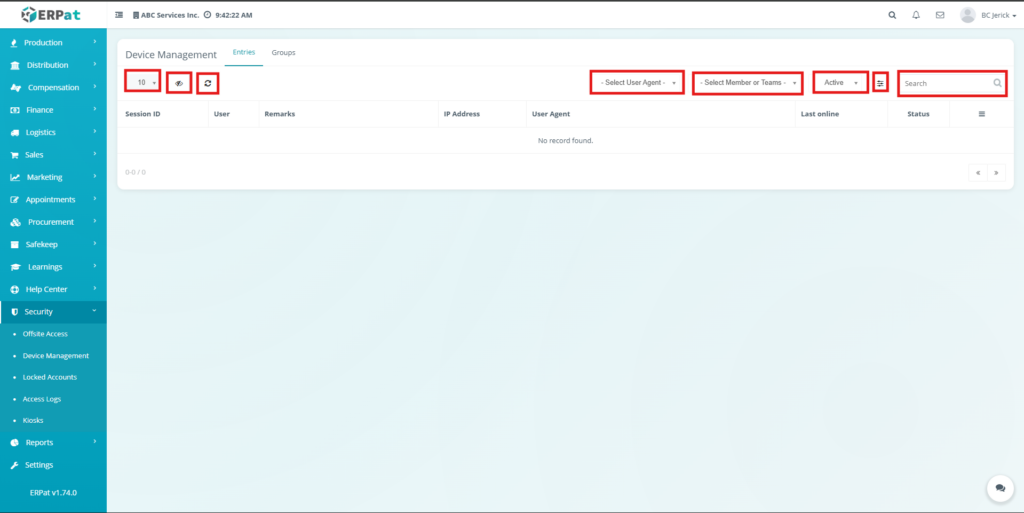
- Rows per page selector for record display
- Column visibility toggle
- Reload button to refresh records
- User Agent filtering options
- Member or Team filtering options
- Status filtering options
- Search bar for quick session lookup
- Pagination controls
Groups Tab #
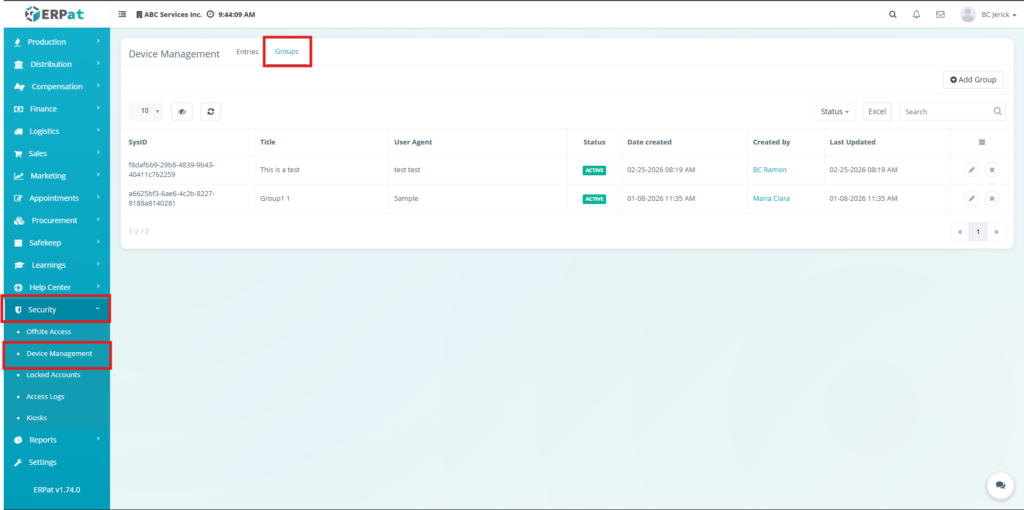
The Groups Tab is used to organize and manage device classifications based on user agents. It allows administrators to group devices for better monitoring, control, and structured management of device access.
Listing Page #
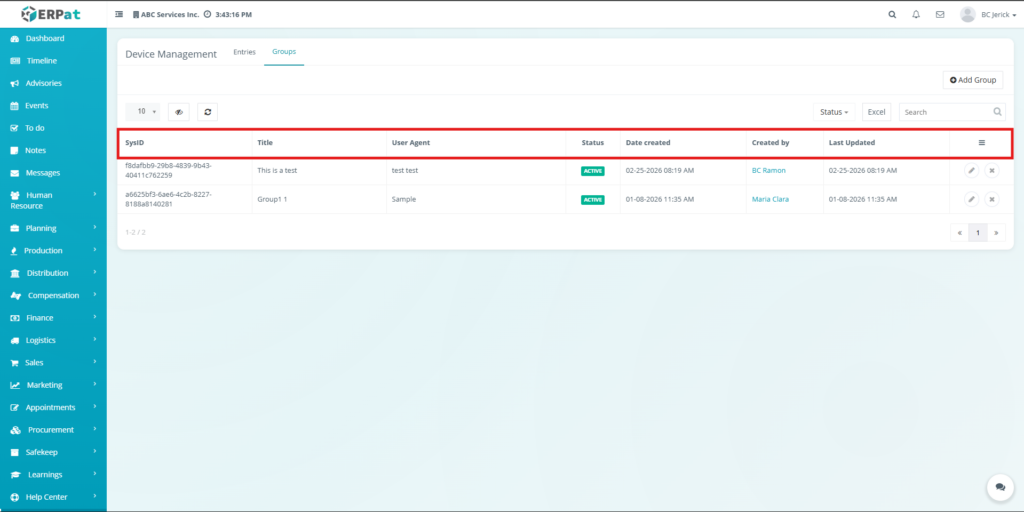
The listing page provides an overview of all device groups with the following information:
- SysID – Unique system identifier
- Title – Group name
- User Agent – Assigned device or browser
- Status – Active or inactive state
- Date Created – Creation date and time
- Created By – User who created the group
- Last Updated – Most recent update timestamp
- Action buttons – Edit and delete controls
Additional Controls #
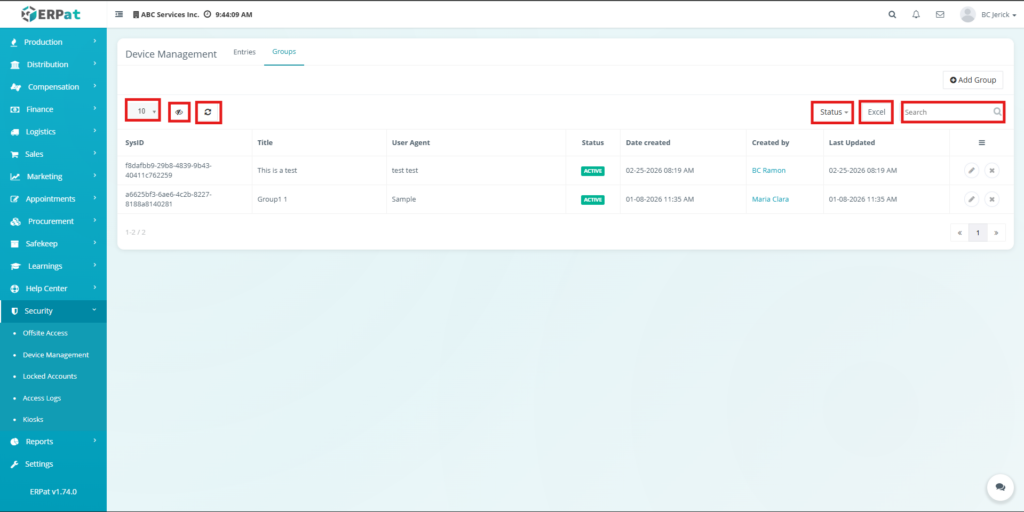
- Rows per page selector for record display
- Column visibility toggle
- Reload button to refresh records
- Status filtering options
- Search bar for quick lookup
- Excel export for downloading reports
- Pagination controls
Steps for Adding Group #
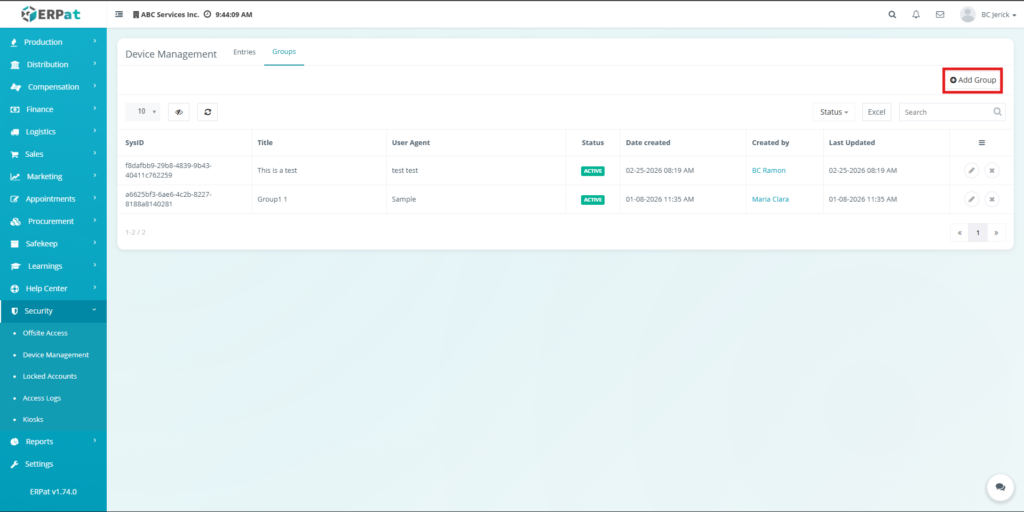
STEPS #
- Click Add Group.
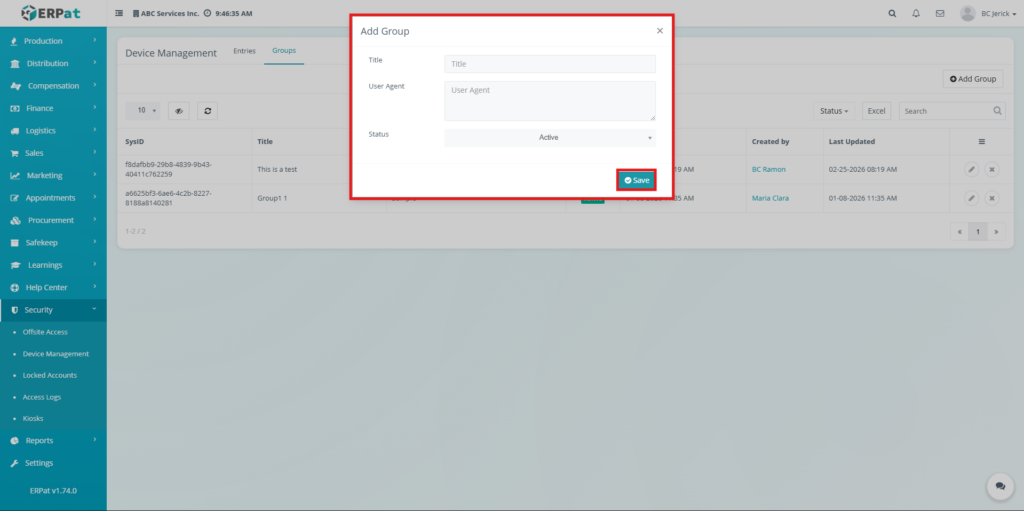
- Enter Title.
- Enter User Agent.
- Select Status.
- Click Save.
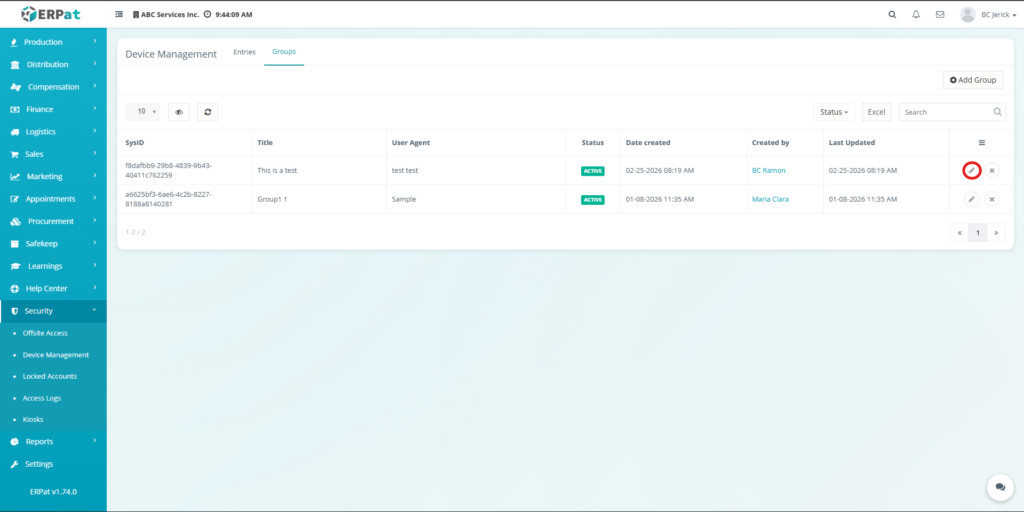
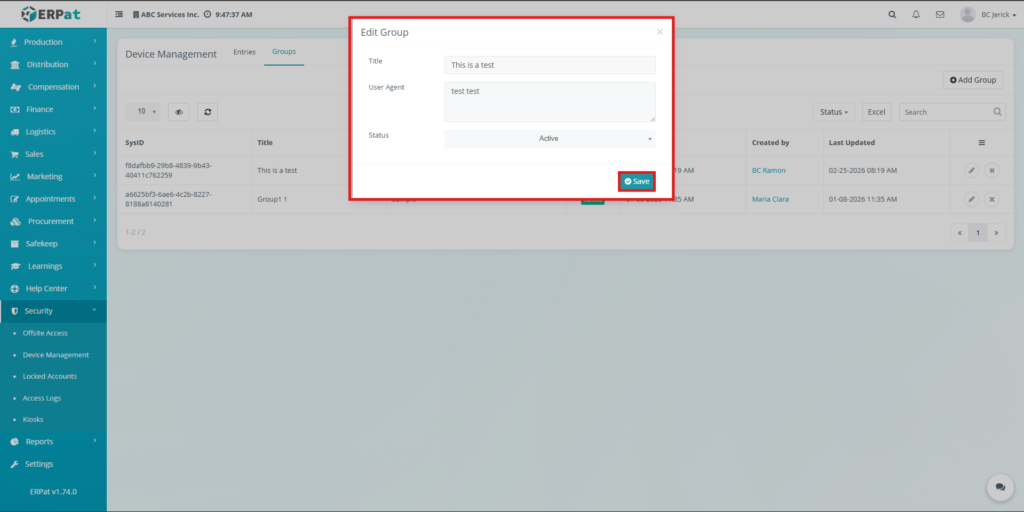
Steps for Editing Group #
STEPS #
- Click the Edit button.
- Modify the group details.
- Click Save.
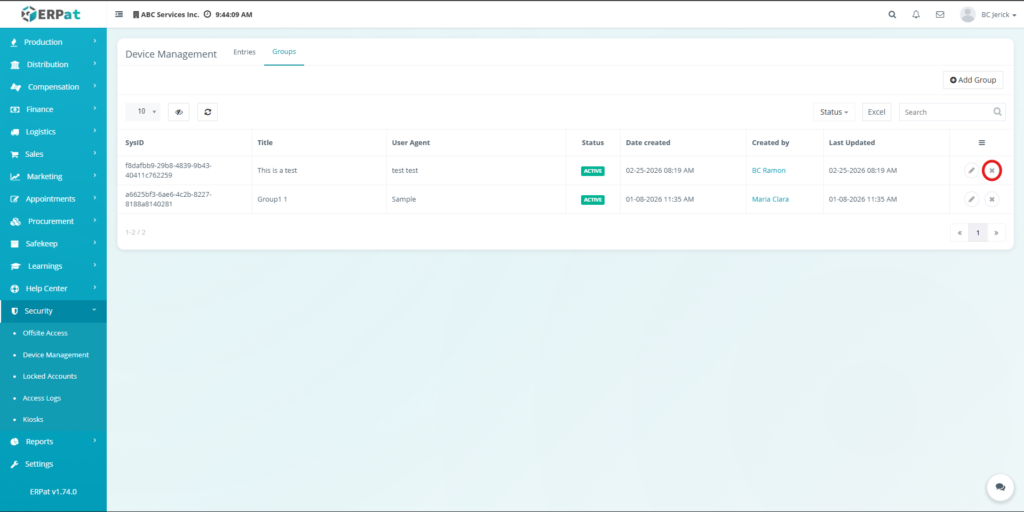
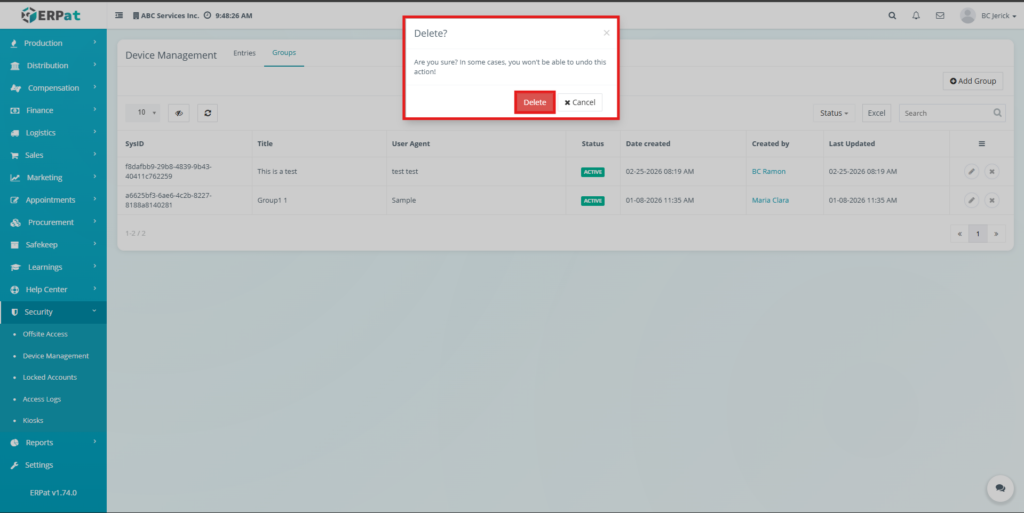
Steps for Deleting Group. #
STEPS #
- Click the Delete button.
- Confirm deletion.
Search and Filtering #
Users can search and filter records using dropdown filters, search bars, and status filters available within the module.
Permissions and Access Control #
- Access depends on assigned roles.
- Users can view device records.
- Authorized users can create and edit groups.
- Only permitted users can delete records.
- Administrators have full control.
Audit & Logs #
- All actions are recorded including:
- Session monitoring activities
- Group creation and updates
- Group deletion
- User actions within the module
Last Updated: [March 19, 2026] Module Owner: Device Management Module – ERPat System


